Video Generation
What it is
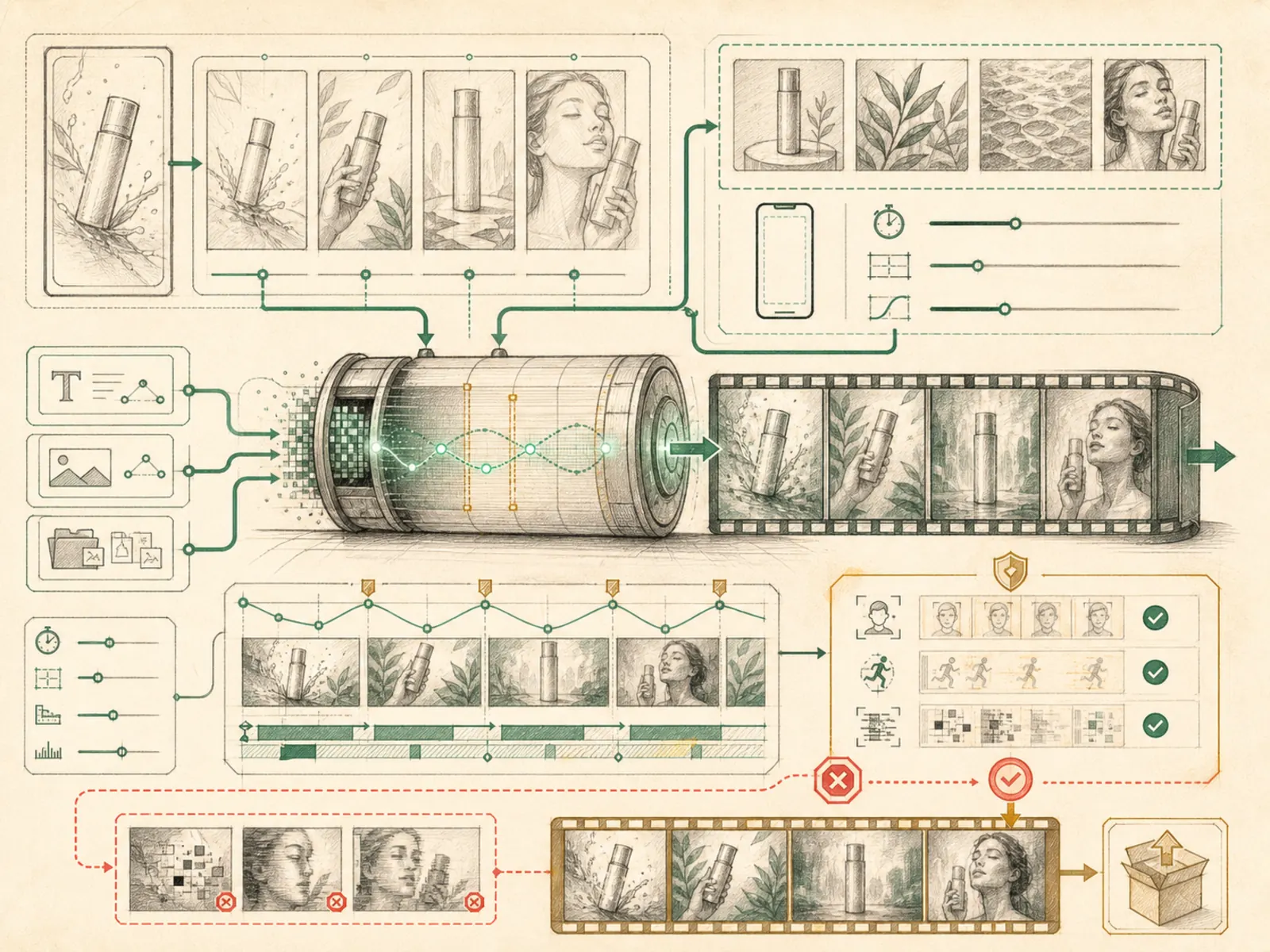
Text-, image-, and reference-to-video generation through a configured plugin provider.
In plain terms
Outsourcing motion works the same way outsourcing a still image does, just with a video studio standing in for the illustrator. Hermes hands over a written brief — plus, optionally, a starting image or reference clip — and gets back actual footage. Since it ships no video model of its own, someone first has to pick and switch on which outside studio does the work.
Why it matters
Both text-to-video and image-or-reference-to-video paths run through plugin providers like fal and xai, registered under video_gen with 3 declarations of its own. It’s distinct from the separate video toolset, which handles video_analyze and specifically requires a video-capable model rather than generating new footage. Generation cost and latency put this firmly in the ‘enable deliberately, not by default’ category alongside image generation.
How it works
video_generate ships with no built-in provider at all — it’s a thin dispatcher that forwards to whichever plugin is enabled under plugins/video_gen/ (fal or xai), selected via video_gen.provider in config (tools/video_generation_tool.py). One schema covers text-to-video, image-to-video, and reference-to-video through shared fields — prompt, image_url, reference_image_urls, duration, aspect_ratio, resolution, negative_prompt, audio, seed — and the tool itself only checks that a prompt was supplied, leaving each provider to clamp or ignore whatever fields it doesn’t support. When xai is the active provider, two extra tools unlock: xai_video_edit and xai_video_extend (tools/xai_video_tools.py), which take the public HTTPS MP4 URL from an earlier clip and either restyle or lengthen that exact footage instead of generating something new from scratch.
A concrete example
A marketer wants a short vertical product teaser, then decides it should run a bit longer.
- video_generate with a text prompt and aspect_ratio=‘9:16’, provider set to xai, produces the first clip.
- They feed that clip’s returned public URL into xai_video_extend, along with a new prompt and a target duration. The second call returns one continuous, longer clip built on the original footage, rather than a completely disconnected second video.
How it connects
This note belongs to the Tools family. Its closest neighboring concepts are: Image Generation, Tool Registry, Agent Runtime, Personal OS.
Source evidence
vendor/hermes-agent/toolsets.py#<file>— Structural Source Map fallback for toolsets.py. A core source file in the Tool Registry and Toolsets structure within Tools, Toolsets, and MCP.
Workflows
- No first-pass workflow mapping yet; this concept still appears in the vault graph through articles and source evidence.
Related articles
- No article currently mentions this concept by name/alias often enough to qualify (see mention-mining policy).