影片生成
這是什麼
透過已設定的外掛提供者,依文字、圖片或參考素材產生影片的工具能力。
白話解釋
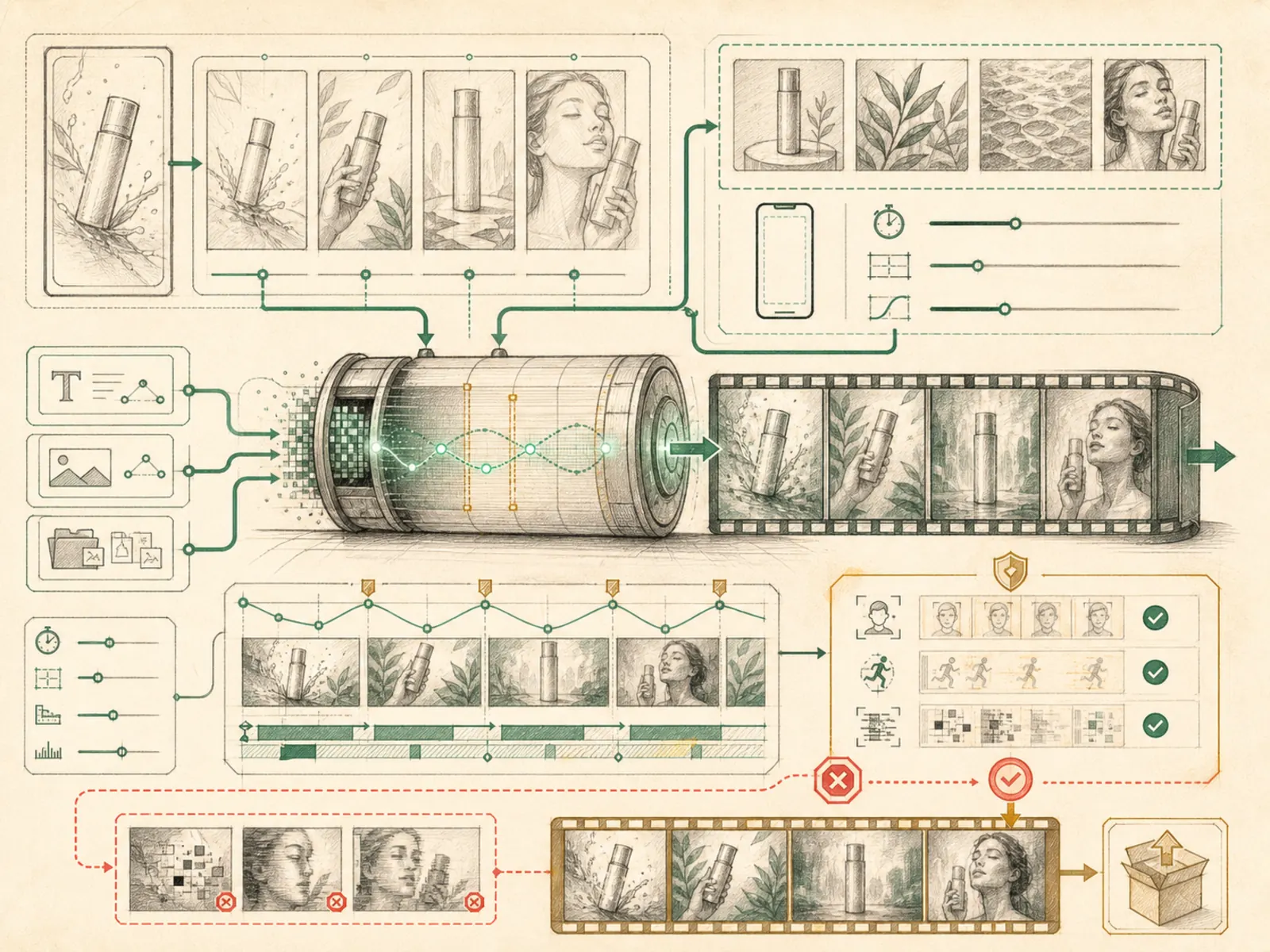
委外製作動態影像與委外繪製靜態圖片相似,只是把插畫家換成影片工作室。Hermes 會交出文字需求,也能選擇附上起始圖片或參考片段,最後取回實際影片。Hermes 本身不包含影片模型,因此使用者必須先選擇並啟用負責產生影片的外部提供者。
為什麼重要
文字轉影片、圖片轉影片與參考素材轉影片都由 fal、xAI 等外掛提供者處理,註冊於 video_gen,本身有三項工具宣告。這與獨立的 video 工具集不同;後者的 video_analyze 需要支援影片的模型,用來分析既有影片,而不是產生新素材。影片產生的成本與延遲都較高,因此和圖片生成一樣,應由使用者明確啟用,而非預設開啟。
運作方式
video_generate 不內建任何提供者,只是把請求轉送給 plugins/video_gen/ 中已啟用的 fal 或 xAI 外掛;實際提供者由設定中的 video_gen.provider 選擇,分派邏輯位於 tools/video_generation_tool.py。同一份資料結構以 prompt、image_url、reference_image_urls、duration、aspect_ratio、resolution、negative_prompt、audio 與 seed 支援文字轉影片、圖片轉影片及參考素材轉影片;工具本身只確認有提供 prompt,其他欄位由各提供者自行限制或忽略。啟用 xAI 時,tools/xai_video_tools.py(檔名 xai_video_tools.py)還會提供 xai_video_edit 與 xai_video_extend;兩者接收先前影片的公開 HTTPS MP4 URL,對原片改造或延長,不會從零產生另一段無關影片。工具只回傳影片結果,不會額外保證產生縮圖。
具體範例
行銷人員需要一段直式產品預告,之後又希望稍微延長。第一次呼叫 video_generate,提供文字提示、aspect_ratio='9:16' 並選用 xAI,取得初始影片。接著把回傳的公開影片 URL、延伸提示與目標長度交給 xai_video_extend;第二次呼叫回傳以原片延伸的一段連續長影片,而不是另產生互不相干的第二支影片,也不宣稱會輸出縮圖。
如何連結
「影片生成」屬於「工具」系列。最直接相關的概念包括:「圖片生成」、「工具註冊表」、「代理執行環境」、「個人作業系統」。這些連結描述教學關係,不取代來源證據。
來源證據
toolsets.py#<file>— 結構性來源;只確認來源檔關聯,不單獨證明特定呼叫順序。
工作流程
- 目前尚無第一輪工作流程對應;此概念仍透過文章與來源證據出現在知識庫圖譜中。
相關文章
- 目前沒有文章以足夠頻率直接提及此概念名稱或別名,尚未達到提及探勘門檻。