網路搜尋
這是什麼
查詢外部網路並擷取指定頁面內容的兩項互補工具能力。
白話解釋
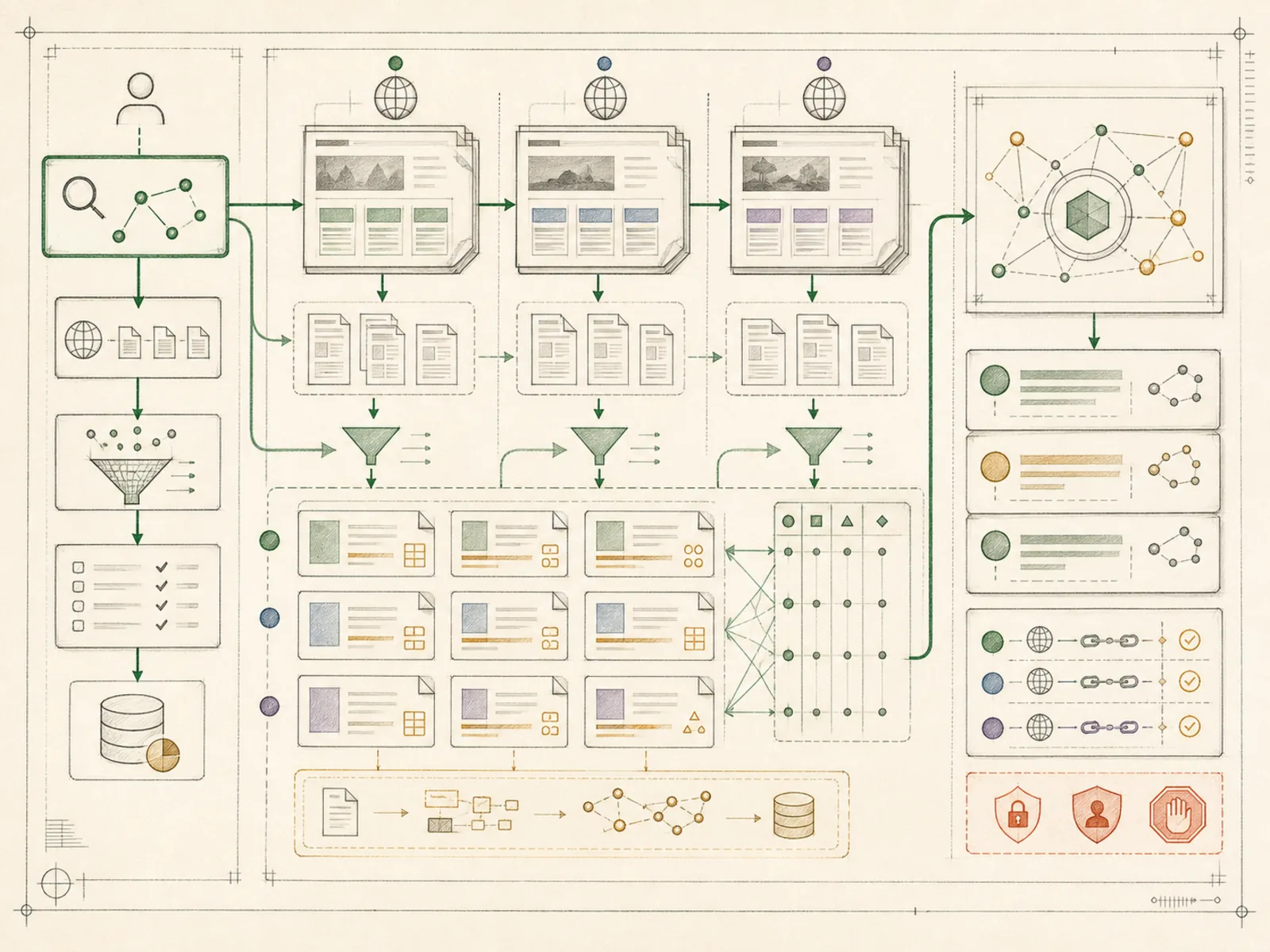
想像派出一名偵察員替你搜尋網際網路,收集相關頁面並交回乾淨可讀的文字,而不是自己開十個瀏覽器分頁。Hermes 不只能搜尋資料,找到頁面後還能擷取該頁面的完整內容。
為什麼重要
web_search 負責查詢,web_extract 負責從頁面擷取結構化內容;Hermes 為 Brave、DuckDuckGo、Exa、Firecrawl、Parallel、SearXNG、Tavily 與 xAI 提供可互換的外掛後端。研究簡報循環最直接依賴這套工具,因為把分散來源整理成可供決策的簡報,必須先有可靠的資料擷取。整個工具集只有兩項註冊工具,刻意保持精簡,不會混入無關能力。
運作方式
網路工具集由 tools/web_tools.py 的兩項工具組成:web_search 預設最多回傳五筆結果,web_extract 每次最多擷取五個 URL 的實際內容。長頁面會依可設定字元上限從開頭與結尾截取,預設上限為 15,000 字元,完整文字另存磁碟供後續使用,避免單一巨大頁面撐爆回應。實際搜尋引擎由 web.backend 設定選擇,外掛提供者包括 Exa、Firecrawl、Parallel、Tavily、SearXNG、Brave、DuckDuckGo 與 xAI,因此切換提供者不會改變工具呼叫方式。web_extract 也能直接處理 arXiv 等 PDF URL,並會拒絕疑似夾帶 API key 或指向私人網路位址的 URL。
具體範例
創辦人想在會議前比較三家 SaaS 競爭者的定價頁。Hermes 先分別以 web_search 找到正確頁面 URL,再對各家最佳結果呼叫 web_extract,擷取實際方案名稱與價格,最後回傳附有原始來源連結的並列摘要。讀者不必自行開啟並逐頁瀏覽三個網站。
如何連結
「網路搜尋」屬於「工具」系列。最直接相關的概念包括:「程式碼執行」、「視覺」、「代理執行環境」、「個人作業系統」。這些連結描述教學關係,不取代來源證據。
來源證據
toolsets.py#<file>— 結構性來源;只確認來源檔關聯,不單獨證明特定呼叫順序。