視覺
這是什麼
讓代理直接理解圖片內容,而不必只依賴文字描述的視覺能力。
白話解釋
Hermes 不能在沒有工具協助時直接看懂圖片。需要知道圖片內容時,它會下載圖片並交給能處理視覺輸入的路徑,再針對具體問題取得答案,例如螢幕截圖顯示什麼錯誤,或圖表包含哪些內容,而不是只憑周邊文字猜測。
為什麼重要
視覺工具集以單一 vision_analyze 工具讓 Hermes 查看實際圖片,而不是只推理圖片的文字描述。它能補足研究流程中的網路搜尋與檔案工具:取得螢幕截圖或圖表後直接分析,不必依賴旁邊文字代為說明。並非所有已設定模型都支援圖片輸入,因此這項能力同時受工具集設定與模型選擇限制。
運作方式
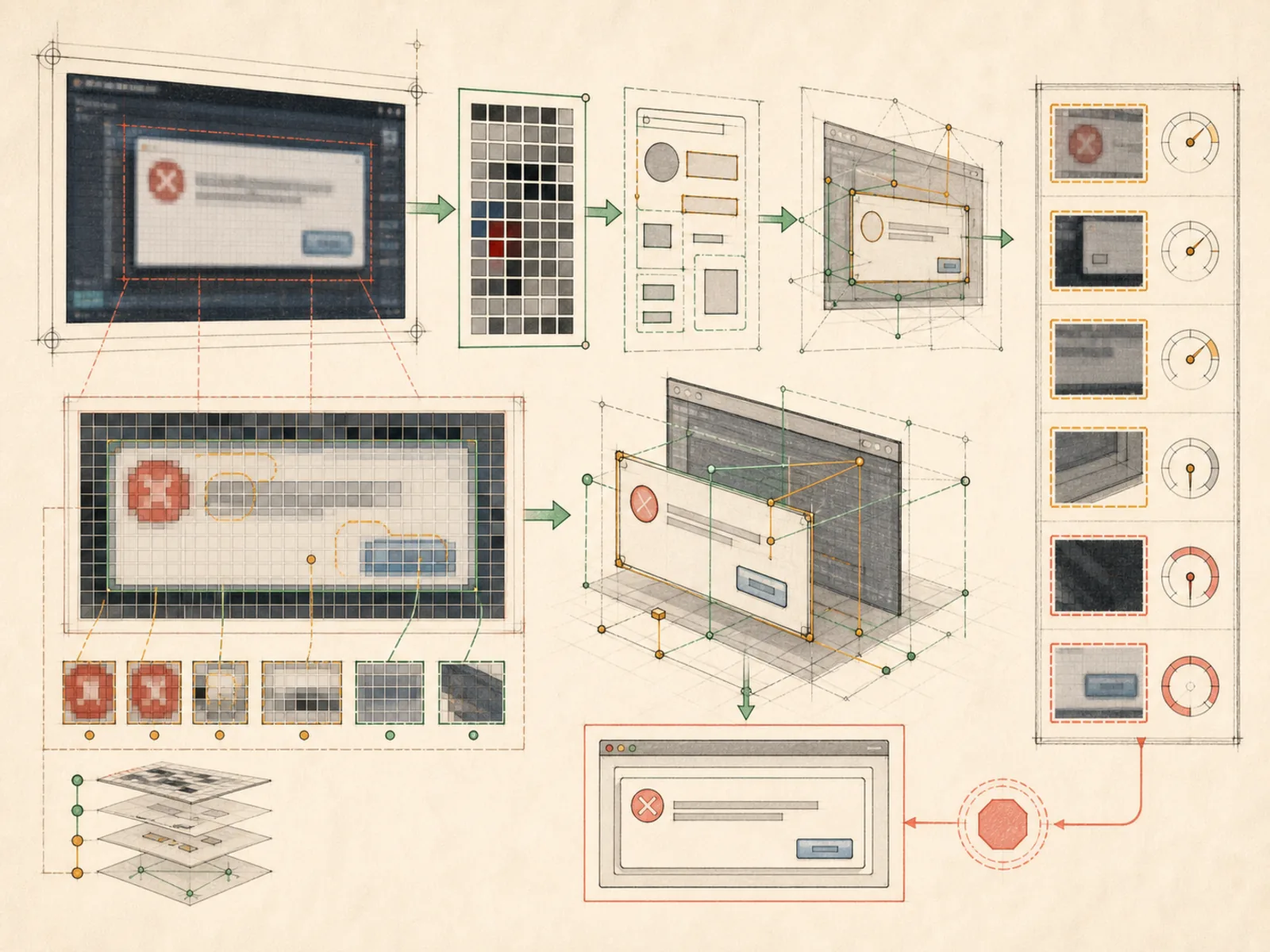
tools/vision_tools.py 的 vision_analyze 接受圖片 URL 或本機檔案路徑,下載並正規化內容,也會把 SVG 轉成 PNG,再決定使用哪條處理路徑。若目前主模型的提供者原生支援工具結果中的圖片,Hermes 會直接把原始圖片位元組交回主模型,下一輪即可看見圖片,不需額外模型呼叫。若主模型不支援,則改用獨立的輔助視覺模型;預設為透過 OpenRouter 使用 Gemini 3 Flash Preview,先把圖片轉成文字描述,再交給主模型。下載的圖片會在完成後從暫存快取清除;本機檔案因未下載,不會被修改或刪除。
具體範例
使用者貼上一張難以理解的錯誤對話框截圖,詢問問題原因。Hermes 以圖片 URL 與問題呼叫 vision_analyze;若主模型能直接看圖,就在下一輪讀取截圖,否則先由輔助視覺模型轉成文字描述。無論採用哪條路徑,最終回覆都會說明錯誤訊息內容與可能原因,使用者不必手動重打畫面文字;工具本身不會建立額外檔案。
如何連結
「視覺」屬於「工具」系列。最直接相關的概念包括:「網路搜尋」、「圖片生成」、「代理執行環境」、「個人作業系統」。這些連結描述教學關係,不取代來源證據。
來源證據
toolsets.py#<file>— 結構性來源;只確認來源檔關聯,不單獨證明特定呼叫順序。
工作流程
- 目前尚無第一輪工作流程對應;此概念仍透過文章與來源證據出現在知識庫圖譜中。
相關文章
- 目前沒有文章以足夠頻率直接提及此概念名稱或別名,尚未達到提及探勘門檻。