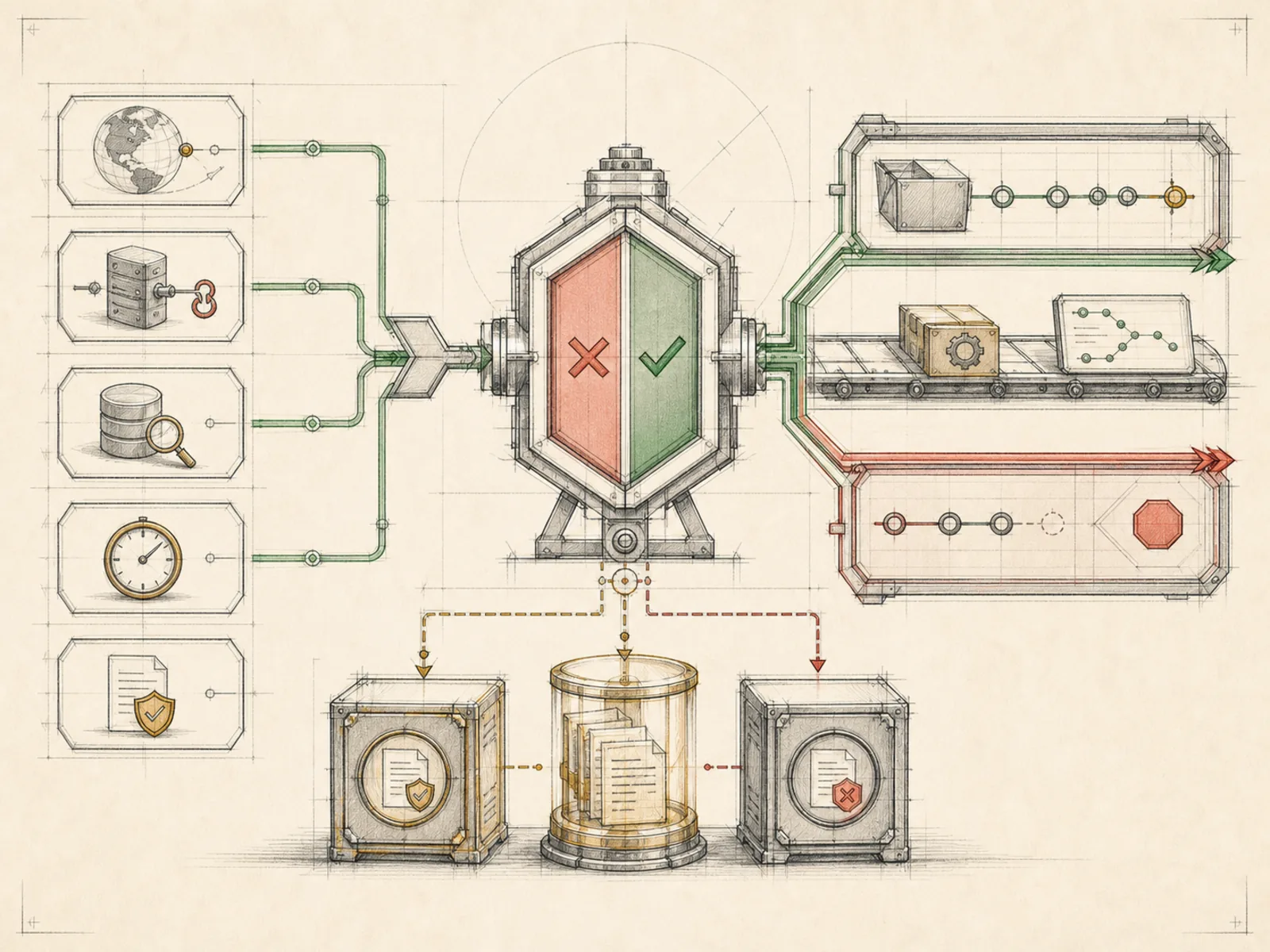
Wake Conditions
What it is
Pre-run signals that decide whether a scheduled job should wake the agent.
In plain terms
A mailroom clerk reads every incoming letter but only forwards the ones that actually need the lawyer’s attention — routine renewals and junk never reach the legal department’s desk at all, so that expensive time only gets spent when a letter is actually worth it. A wake condition plays that same gatekeeping role inside Hermes: a small script checks reality first, and only when it reports something worth acting on does the full agent, and the cost of a model call, get invoked at all.
Why it matters
A cron job’s optional pre-run script can keep the model asleep in two ways: _parse_wake_gate in cron/scheduler.py skips the run when the script’s last non-empty stdout line is JSON like {"wakeAgent": false}, and a successful script that prints nothing makes _build_job_prompt return None — logged as “script produced no output, skipping AI call”. Any other stdout wakes the agent, folded into the job prompt as collected context. There is no built-in numeric threshold; whatever counts as “wake-worthy” is logic the script author writes, and Hermes only enforces the verdict.
How it works
The gate is just the same “script” field every cron job can already carry — no separate wake-condition schema exists (cron/jobs.py). In cron/scheduler.py’s run_job, that script runs once before the prompt gets built, and when its verdict says no, the code returns immediately with a silent-run marker, skipping prompt construction and the actual agent turn entirely — no tool loop, no model call. When the verdict says wake instead, the same script output isn’t discarded: _build_job_prompt folds it into the prompt under a “Script Output” heading, so the agent reasons over the same data the gate just inspected. A script that exits with an error rather than a wake verdict is treated as a script failure and surfaced to the agent as such, not silently swallowed.
A concrete example
A repo-watcher job carries a script that runs git fetch and compares commit counts against the last check.
- Every 15 minutes the scheduler runs that script first, before touching the agent at all.
- If nothing new landed, the script’s last line is {“wakeAgent”: false} — the tick is logged as silent and no model call happens.
- If new commits appear, the script prints a short diff summary instead, which flows into the agent’s prompt, and the agent turns that raw diff into a plain-language “3 new commits since your last check” message.
How it connects
This note belongs to the Automation family. Its closest neighboring concepts are: Schedules, No-Model Jobs, Agent Runtime, Personal OS.
Source evidence
vendor/hermes-agent/toolsets.py#<file>— Structural Source Map fallback for toolsets.py. A core source file in the Tool Registry and Toolsets structure within Tools, Toolsets, and MCP.route:POST:/api/cron/jobs— Explicit Source Map scope boundary: The web server route is outside the approved Core scope.
Workflows
- Cost-Aware Automation
Related articles
- Seven Cost-Aware Hermes Workflows That Go Beyond Chat