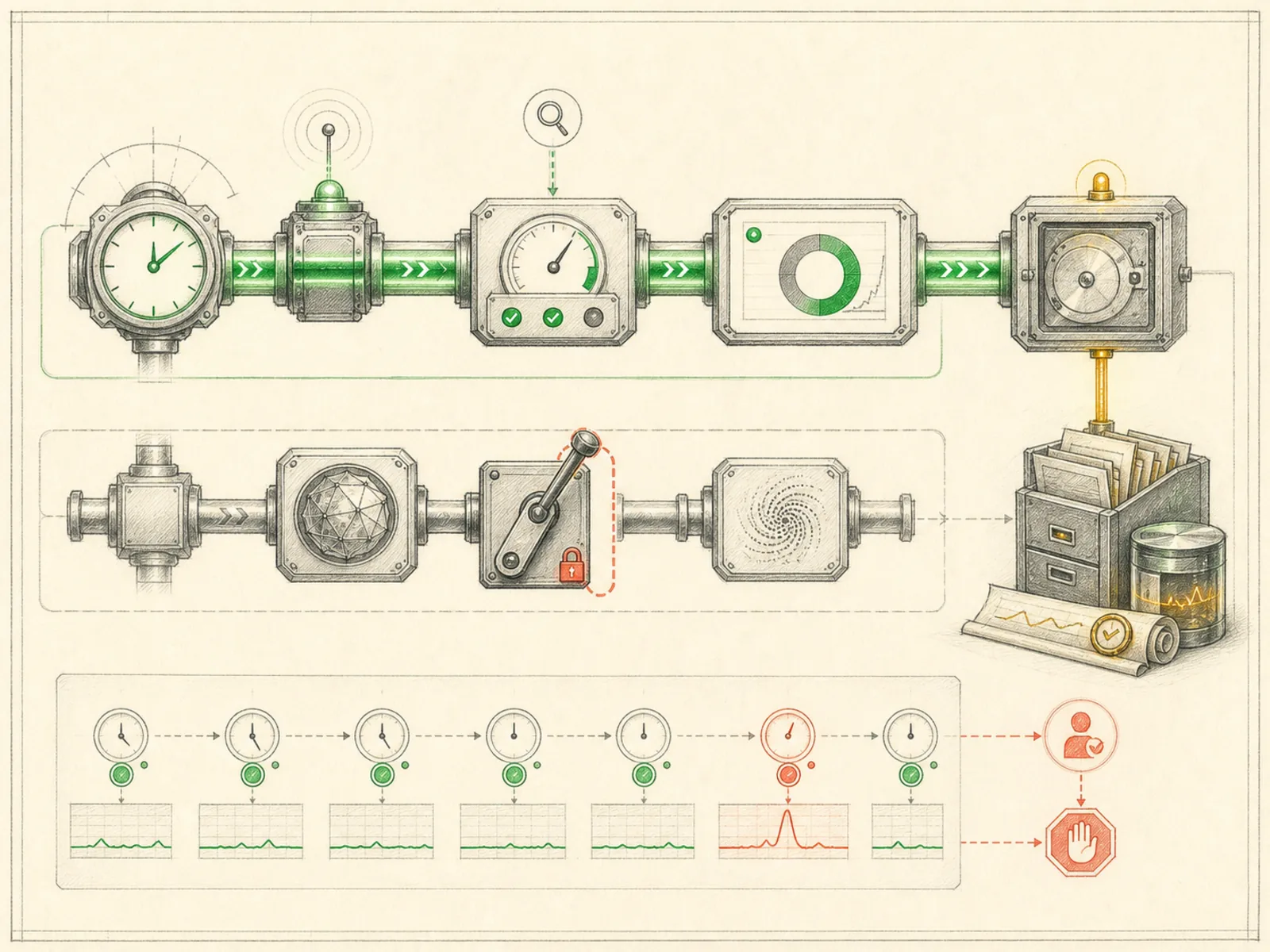
No-Model Jobs
What it is
Deterministic health checks or scripts that avoid unnecessary model calls.
In plain terms
A vending machine has no clerk weighing whether your money deserves a snack — insert the right coins and the mechanism releases the item, full stop, with nobody in the loop to interpret the request. A no-model job is Hermes’s equivalent: a script runs on schedule and its output goes straight out the door, with no language model ever asked to interpret, summarize, or decide anything in between.
Why it matters
Setting no_agent: true on a cron job (enforced in cron/jobs.py’s create_job, exposed via POST /api/cron/jobs) removes the agent from the loop completely — the scheduler runs only the job’s script on schedule and delivers its stdout verbatim, per the no_agent short-circuit in cron/scheduler.py’s run_job. Empty output is treated as a silent, successful tick rather than an empty report. This differs from a wake-gated agent job, where a script still runs first but a full LLM turn follows unless the gate says otherwise — no-model jobs never reach the LLM at all.
How it works
Setting no_agent: true on a job means the script is the whole job — create_job (cron/jobs.py) refuses to save one without a script attached. At run time, run_job (cron/scheduler.py) checks this flag before it even imports the agent machinery, then hands the script to the same runner every cron script uses: .sh and .bash files execute via bash, everything else via the Python interpreter, and the path must resolve inside the scripts directory or the run is blocked outright. Whatever comes back gets wrapped into a small markdown report tagged “Mode: no_agent (script).” A non-zero exit or a timeout is delivered as a failure alert rather than swallowed; a script that exits clean with nothing on stdout, or one that prints the same {“wakeAgent”: false} gate a data-collection script would use, produces a silent, successful tick instead of an empty report.
A concrete example
A disk-space watchdog script runs every hour and only prints something when usage crosses 90%.
- Below the threshold, the script exits cleanly with no output, and the job registers as a normal, silent tick — no alert, no model call.
- Once usage crosses 90%, the script prints a short warning line, which gets delivered verbatim to whatever channel the job is configured to reach.
- If the disk itself becomes unreadable and the script crashes, that failure gets delivered as an alert too, so a broken watchdog doesn’t fail invisibly.
How it connects
This note belongs to the Automation family. Its closest neighboring concepts are: Wake Conditions, Webhooks, Agent Runtime, Personal OS.
Source evidence
vendor/hermes-agent/toolsets.py#<file>— Structural Source Map fallback for toolsets.py. A core source file in the Tool Registry and Toolsets structure within Tools, Toolsets, and MCP.route:POST:/api/cron/jobs— Explicit Source Map scope boundary: The web server route is outside the approved Core scope.
Workflows
- Repository Monitor
- Cost-Aware Automation
Related articles
- Seven Cost-Aware Hermes Workflows That Go Beyond Chat