Discord
What it is
A team messaging surface and toolset for Discord workflows.
In plain terms
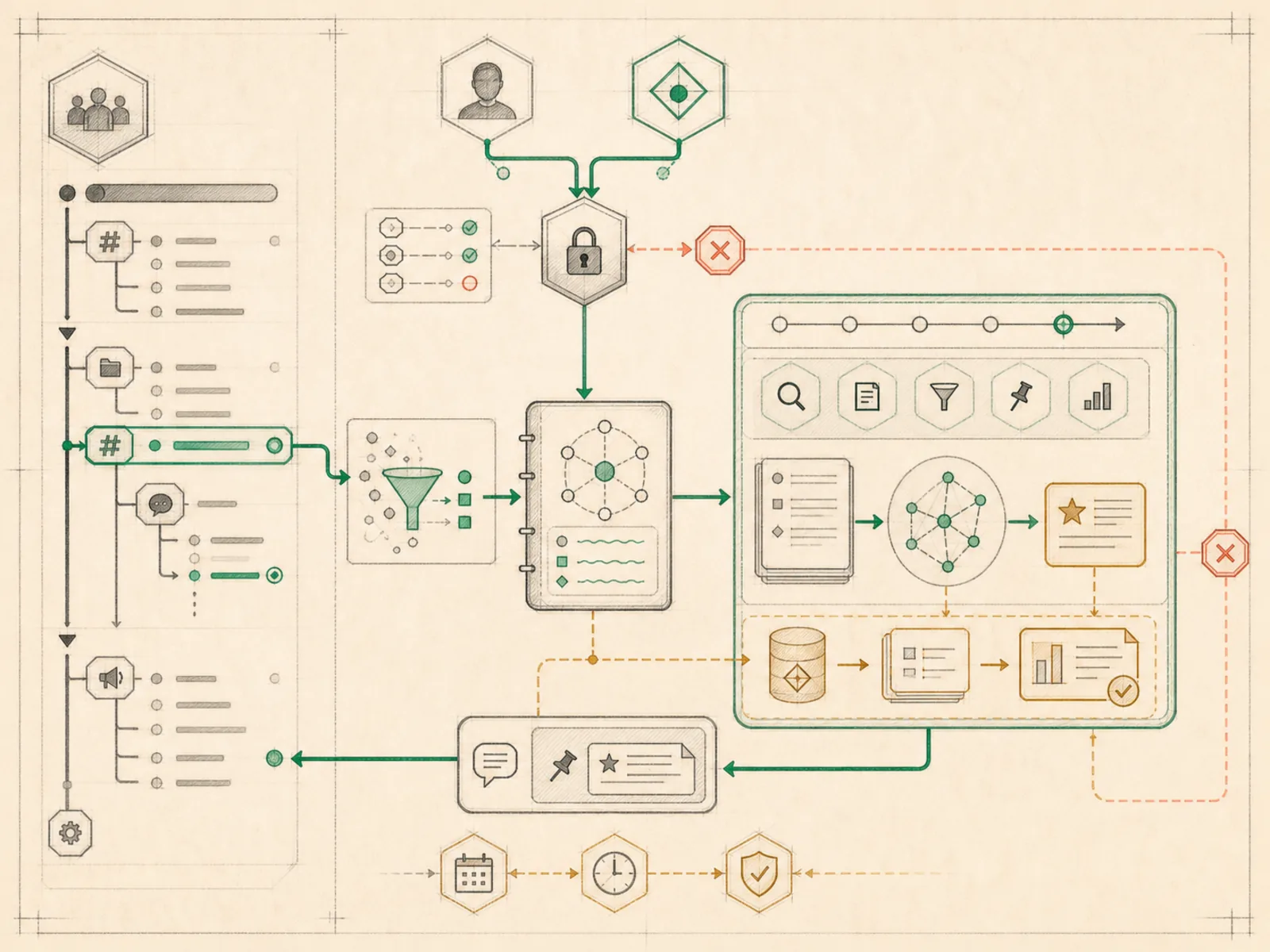
Discord access to Hermes works less like a single all-purpose account and more like two separate log-ins handed to two different roles: an everyday one that lets it read channel messages, look up members, and start a thread, and a separate administrator log-in — issued only on purpose — for things like assigning roles or pinning messages across a whole server.
Why it matters
Two separate toolsets cover Discord: an ordinary one for fetching messages, searching members, and creating threads, and a discord_admin toolset for moderation-level actions like listing channels or roles, pinning, and assigning roles. Keeping those separate means an agent can be trusted to read and reply in a server without automatically holding role-management permissions too. It’s one of several team-messaging surfaces, alongside Slack, Teams, and Mattermost, that route through the same underlying plugin-platform pattern.
How it works
Two lightweight, standalone tools (tools/discord_tool.py) back the discord and discord_admin toolsets, and both require the same DISCORD_BOT_TOKEN environment variable — the split is a permissions boundary, not a connection boundary. Separately, DiscordAdapter uses discord.py to run Hermes as a bot and registers native slash commands such as /new, /reset, /status, and /stop. The shared /status handler reports the current session, whether an agent is running, the resolved model/provider, context usage, and persisted token totals; it does not report cron-job status. The adapter is the heavier integration, while the two toolsets are what an agent already running elsewhere reaches for when a task needs Discord access.
A concrete example
A community moderator asks Hermes, already running as a bot in their Discord server, to summarize yesterday’s announcements channel and pin the most important message.
- Hermes calls the ordinary discord tool to fetch the channel’s recent messages and writes a short summary.
- Pinning a message requires the moderation-level discord_admin toolset, which the moderator’s profile has separately enabled.
- Hermes pins the message and posts the summary as a reply, without ever touching role assignments or other admin-only actions it wasn’t granted.
How it connects
This note belongs to the Interfaces family. Its closest neighboring concepts are: WhatsApp Gateway, Profiles, Agent Runtime, Personal OS.
Source evidence
vendor/hermes-agent/toolsets.py#<file>— Structural Source Map fallback for toolsets.py. A core source file in the Tool Registry and Toolsets structure within Tools, Toolsets, and MCP.
Workflows
- No first-pass workflow mapping yet; this concept still appears in the vault graph through articles and source evidence.
Related articles
- No article currently mentions this concept by name/alias often enough to qualify (see mention-mining policy).