Code Execution
What it is
Controlled child-process or configured-backend execution of code snippets for analysis; not an operating-system sandbox guarantee.
In plain terms
Instead of solving a multi-step problem by talking it through out loud one line at a time, Hermes can hand the whole problem to a small back-room calculator that runs real code — loops, math, file parsing — and only reports back the finished number or list, skipping all the scratch paper in between.
Why it matters
Running a snippet to check an answer — computing a value, testing a regex, parsing a file — beats reasoning it out purely in text and risking a subtle logic error the model can’t catch on its own. It’s registered as its own single-tool toolset (execute_code) so it can be enabled independently of broader terminal access. The local child process is a control boundary, not an operating-system sandbox: a nested terminal call still follows the configured backend and its normal approval policy.
How it works
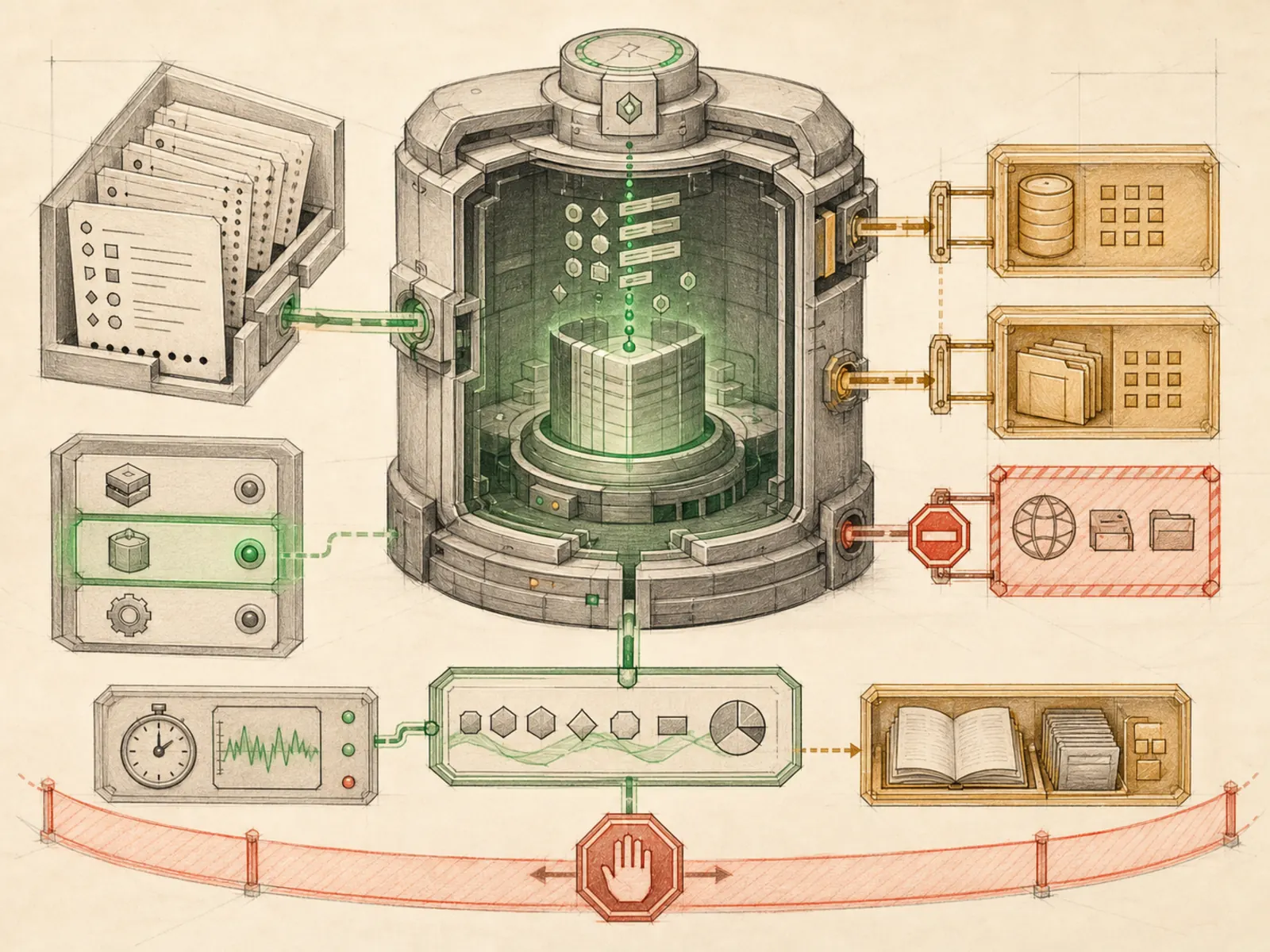
execute_code lets the model write a short Python script that calls other Hermes tools programmatically instead of issuing them one at a time — the code itself calls this Programmatic Tool Calling (tools/code_execution_tool.py). Locally, the script runs in a child process talking back to the parent over a Unix domain socket; on a remote backend (Docker, Singularity, Modal, Daytona, or SSH) the same round trip happens through files that a polling thread reads and answers. Either way, only the script’s printed output reaches the model’s context — the intermediate tool results never do. Only seven tools are reachable from inside a script (web_search, web_extract, read_file, write_file, search_files, patch, terminal), and hard limits apply regardless of backend: a five-minute timeout, a 50-tool-call cap, and a 50KB stdout ceiling, with environment variables scrubbed of anything that looks like a secret before the script starts.
A concrete example
A reader wants to know the average price across 15 product pages, without reading all of them.
- Hermes writes one script that loops through all 15 URLs, calling web_extract on each in turn.
- The script parses out each price with plain Python and computes the average inline.
- Only the final average and any outliers get printed to the screen. The reply is one short line of numbers, instead of 15 pages of raw extracted text flooding the conversation.
How it connects
This note belongs to the Tools family. Its closest neighboring concepts are: Computer Use, Web Search, Agent Runtime, Personal OS.
Source evidence
vendor/hermes-agent/toolsets.py#<file>— Structural Source Map fallback for toolsets.py. A core source file in the Tool Registry and Toolsets structure within Tools, Toolsets, and MCP.
Workflows
- No first-pass workflow mapping yet; this concept still appears in the vault graph through articles and source evidence.
Related articles
- No article currently mentions this concept by name/alias often enough to qualify (see mention-mining policy).