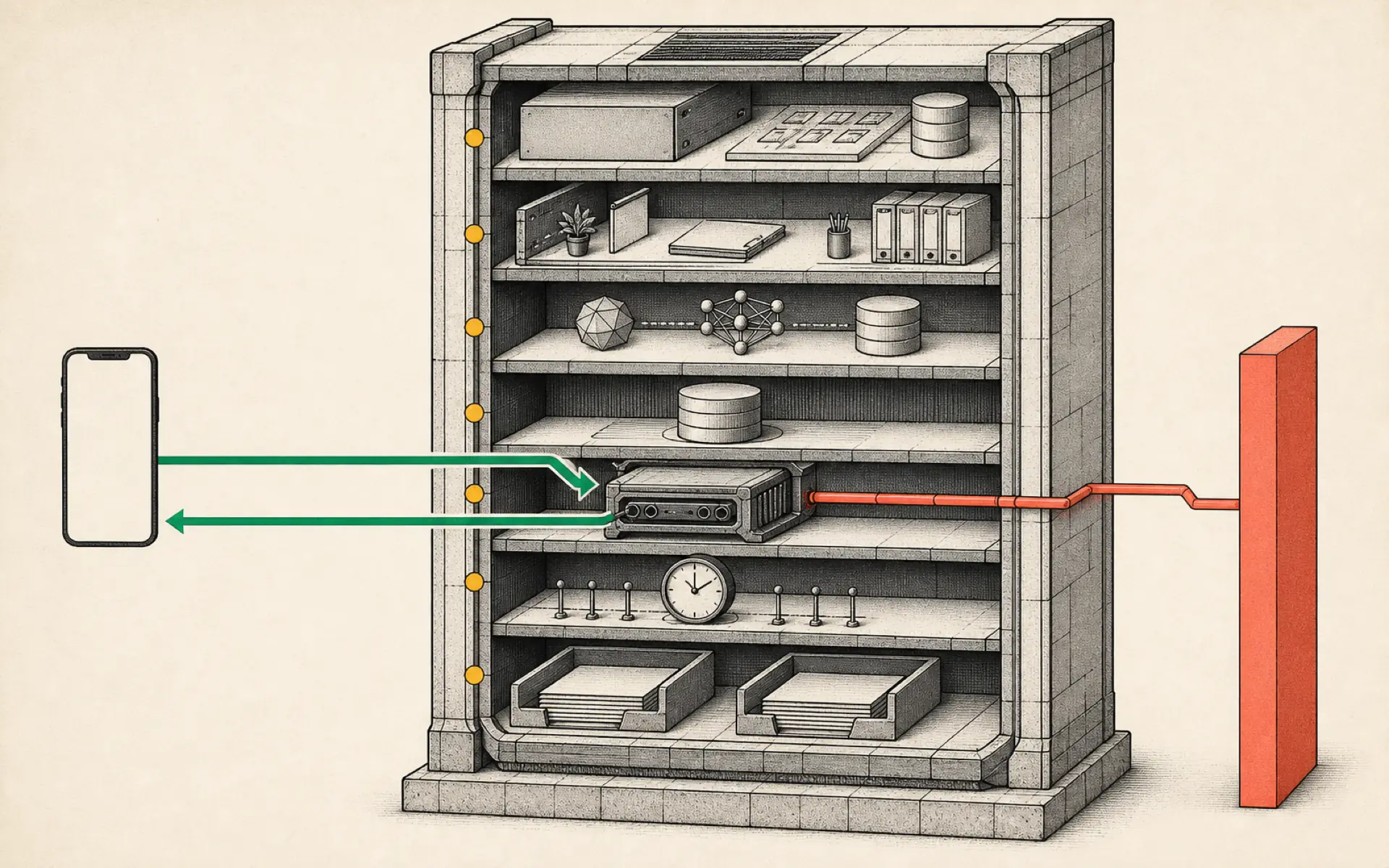
From Zero to a Personal AI Assistant: Building Hermes on a VPS Without Creating a Mess
A complete operating model for installation, messaging, memory, skills, scheduled work, backups, security, and multi-agent growth.
Installing an AI agent is easy compared with keeping it useful. A successful Hermes setup needs more than a working model and a Telegram bot. It needs a clear operating structure: where it runs, what it remembers, how it learns repeatable work, when it acts automatically, and how its files are protected.
The most useful way to plan the system is around five practical pillars: infrastructure, intelligence, communication, capabilities, and continuity. Together, these turn a blank server into a personal assistant that can survive restarts, recover from mistakes, and grow without becoming impossible to understand.
Understand what Hermes is—and what it is not
Hermes is an agent harness. It sits around a language model and gives the model access to sessions, files, tools, memory, skills, messaging gateways, and schedules. The model supplies reasoning; Hermes supplies the environment in which that reasoning can produce ongoing work.
This is why comparisons with Claude Code, OpenClaw, or a normal chatbot can be misleading. Claude Code is optimized for software work inside repositories. A general chat assistant is optimized for interactive questions. Hermes is designed to remain available, communicate through external channels, and accumulate reusable operating knowledge.
The right choice depends on the job. A coding tool may be better for a concentrated programming session, while Hermes is better suited to an assistant that monitors information, manages recurring routines, and coordinates several types of work.
Pillar one: dependable infrastructure
An always-on assistant needs a machine that remains online. A VPS provides that base without requiring a home computer to run continuously. The server does not need to be large at the beginning; the language model usually runs through a separate provider, so Hermes itself mainly needs enough capacity for its runtime, files, and supporting services.
The installation process should produce a reproducible environment. Record the server type, operating system, installation command, open ports, and location of important files. If a hosting provider offers a one-click Hermes deployment, it can shorten setup, but the result should still be inspected rather than treated as a black box.
After deployment, verify the basics before adding integrations:
- Hermes starts without errors.
- The selected model responds.
- The gateway listens only where intended.
- The server restarts cleanly.
- Important data remains after a restart.
These checks establish a stable foundation. Adding Telegram, schedules, and tools before the core service is reliable makes later failures much harder to diagnose.
Pillar two: a model strategy, not a single model choice
Hermes can work with several providers. A beginner may choose a model through OpenRouter or connect an existing supported subscription. The important decision is not simply which model is strongest, but how model cost and capability match the workload.
A premium model may be appropriate for difficult planning, coding, or nuanced writing. A less expensive model may be sufficient for classification, summarization, and routine checks. A fallback model provides resilience if the primary provider is unavailable.
Track spending from the beginning. Agent tasks can contain long context, tool results, and repeated retries. A cheap-looking schedule becomes expensive if it calls a large model every few minutes. Cost controls belong in the design of each workflow, not in an emergency review at the end of the month.
Pillar three: a secure communication channel
Telegram is a convenient way to reach Hermes from a phone. The usual process is to create a bot through BotFather, copy its token into the Hermes configuration, and restrict access to the owner’s Telegram user ID.
The token is a secret credential. It should be stored in the intended secret or configuration system and excluded from screenshots, repositories, and shared notes. The allowed-user setting is equally important: an internet-connected bot should not accept commands from strangers.
Once the gateway is running, test with a harmless request. Then test that an unauthorized account is rejected. A setup is not complete merely because the owner’s message receives a response; access controls must also behave as expected.
Pillar four: memory and skills
Memory gives the assistant continuity. Skills give it repeatability. These concepts overlap, but they serve different purposes.
Memory should capture durable facts about the user, current projects, preferences, and earlier decisions. Skills should capture procedures: how to research a topic, update a document, prepare a report, or use a tool. Mixing everything into one large instruction file creates confusion and consumes context.
A useful skill has four parts:
- A clear trigger or purpose.
- The inputs required to start.
- A sequence of actions and checks.
- A defined output format and stopping condition.
The first skill should solve a real repeated problem. It might prepare a daily industry briefing, turn incoming links into structured notes, or audit a list of web pages. Run it manually several times before scheduling it. Each failure reveals a missing assumption that can be added to the skill.
Pillar five: schedules and continuity
Cron jobs turn a capable assistant into a proactive one. A cron task can run daily, weekly, or at another interval and deliver its result through the configured gateway.
The first scheduled task should be observable and reversible. A daily summary is safer than an automated account change. Include an explicit delivery destination, a maximum scope, and instructions for what to do when no meaningful result is found.
Continuity also means backup. Hermes gradually accumulates identity files, user information, skills, project artifacts, schedule definitions, and configuration. Losing these files can erase months of refinement even if the software is easy to reinstall.
A private Git repository provides a practical backup for non-secret configuration and skill files. Secrets must be excluded. Commit changes with meaningful messages so a damaged configuration can be traced and rolled back. A repository is most useful when restoration has been tested, not merely when files appear on a remote website.
Security is an operating practice
An agent connected to tools and accounts expands the possible impact of a mistake. Secure operation requires several layers:
- Keep the operating system and Hermes updated deliberately.
- Use key-based server access and disable unnecessary services.
- Restrict network exposure through a firewall or private network.
- Store tokens outside source control.
- Grant each integration only the permissions it needs.
- Require approval for irreversible or public actions.
- Review logs and model spending regularly.
- Back up before major changes.
Prompt injection is another concern. Content from a web page, email, or document may contain instructions designed to manipulate the agent. External text should be treated as data, not as trusted commands. Skills should tell Hermes to ignore instructions found inside untrusted source material unless the user explicitly approves them.
Scale by isolating responsibilities
One Hermes instance can perform many roles, but unlimited accumulation eventually creates conflicts. A finance workflow, content workflow, and customer-support workflow may need different tools, memories, and risk controls.
Profiles or separate agents provide isolation. Begin with one general assistant and split roles only when there is a clear reason: different credentials, different users, incompatible instructions, or a need to limit the damage one workflow could cause.
When several agents are introduced, define ownership. One coordinator can delegate bounded tasks, while specialist agents produce results in agreed formats. Shared storage should have clear folder boundaries. Scheduled jobs should identify which agent owns the output and where failures are reported.
Scaling is not measured by the number of agents. It is measured by whether the system remains understandable and whether every automated action has an accountable owner.
A practical build sequence
The entire setup can be approached in stages:
- Deploy Hermes and confirm the service survives a restart.
- Connect one model and establish a spending limit.
- Add Telegram with a strict allowed-user list.
- Define identity and user preferences in short, reviewable files.
- Build one skill for a repeated task.
- Run the skill manually until its output is consistent.
- Schedule it and verify delivery.
- Back up non-secret configuration to a private repository.
- Review logs, cost, permissions, and recovery.
- Add profiles or extra agents only when isolation is needed.
This sequence avoids the common trap of creating a spectacular demo that cannot be maintained. A personal AI assistant becomes valuable through reliability, accumulated working knowledge, and safe repetition—not through the number of integrations installed on the first day.
Hands-on lab: Establish an observable always-on VPS baseline
- Outcome: Install Hermes on a VPS, prove one model-backed chat works, and run the messaging gateway as a managed service with a visible status.
- Time: 25–40 minutes, excluding provider sign-in.
- Risk: Medium. This changes a remote host and installs a background service, but it does not add a public messaging channel or open a new firewall port.
Before you start
- Use a supported Linux VPS account with SSH and
sudoaccess, withgit,curl, andxz-utilsavailable. - Take a provider-side or VPS snapshot before installing if the machine already hosts other work.
- Do not expose Hermes directly to the public internet during this baseline.
Choose the cron mode before scheduling any future work:
| Mode | What runs | Best fit | Cost and output |
|---|---|---|---|
| Agent-backed | A self-contained prompt or skill runs through a fresh Hermes agent session; an optional script can collect context first. | Research, synthesis, or a decision that genuinely needs model reasoning. | Uses model tokens; the agent’s final response is delivered and the run is recorded. |
| Script-only | no_agent=True requires a script and skips the agent loop entirely. |
Deterministic health checks, thresholds, exports, and watchdogs. | No LLM call; stdout is delivered verbatim, while empty output or wakeAgent=false stays silent. |
An agent-backed cron run receives no current-chat context and cannot ask a person for clarification, so its prompt must include every path, input, limit, output, no-change behavior, and stopping condition. A cron-run agent must not recursively create more cron jobs; it should propose any schedule change for a human to apply outside the run.
Build it
On the VPS, run the pinned official installer and reload the shell:
curl -fsSL https://hermes-agent.nousresearch.com/install.sh | bash
source ~/.bashrc   # use source ~/.zshrc when the login shell is zsh
hermes setup
Choose one provider and model in the setup wizard. Before adding Telegram or cron, run a one-shot, read-only check and then the deep status check:
hermes chat -q "Reply with the hostname and state that no files were changed. Do not modify anything."
hermes status --deep
Install the Linux boot-time system service, start it, and inspect it:
sudo hermes gateway install --system
sudo hermes gateway start --system
hermes gateway status --system
Verify it
- The one-shot chat returns a normal answer from the selected provider.
hermes status --deepreports no unresolved provider or configuration failure.hermes gateway status --systemreports a running boot-time service.- A deliberate
sudo hermes gateway restart --systemreturns the service to a running state.
If it fails
- Run
hermes doctorbefore adding more features. - Re-run
hermes modelif the chat fails authentication or selects the wrong model. - Use
hermes logsandhermes gateway status --systemif the service does not remain running. - Stop here; do not configure messaging or schedules until plain chat and the managed gateway are both healthy.
Safety, privacy, and cost
The official installer executes a remote script, so use only the HTTPS URL shown in the pinned installation documentation and inspect that documentation first. Keep SSH key-based, avoid public dashboard exposure, store secrets through Hermes setup rather than shell history, and set a provider spending limit before enabling unattended work. A running gateway has fixed VPS cost even when no model is called.
Official references
Source video: Hermes Agent: Zero to Personal AI Assistant (1 Hour Course), Nate Herk | AI Automation. Adapted and reorganized from the full transcript; advertisements and repeated spoken instructions were removed.