Mastering Hermes Desktop: From Local Chat App to an Always-On Agent Control Center
A practical guide to installation, model providers, remote gateways, profiles, artifacts, subagents, schedules, and messaging.
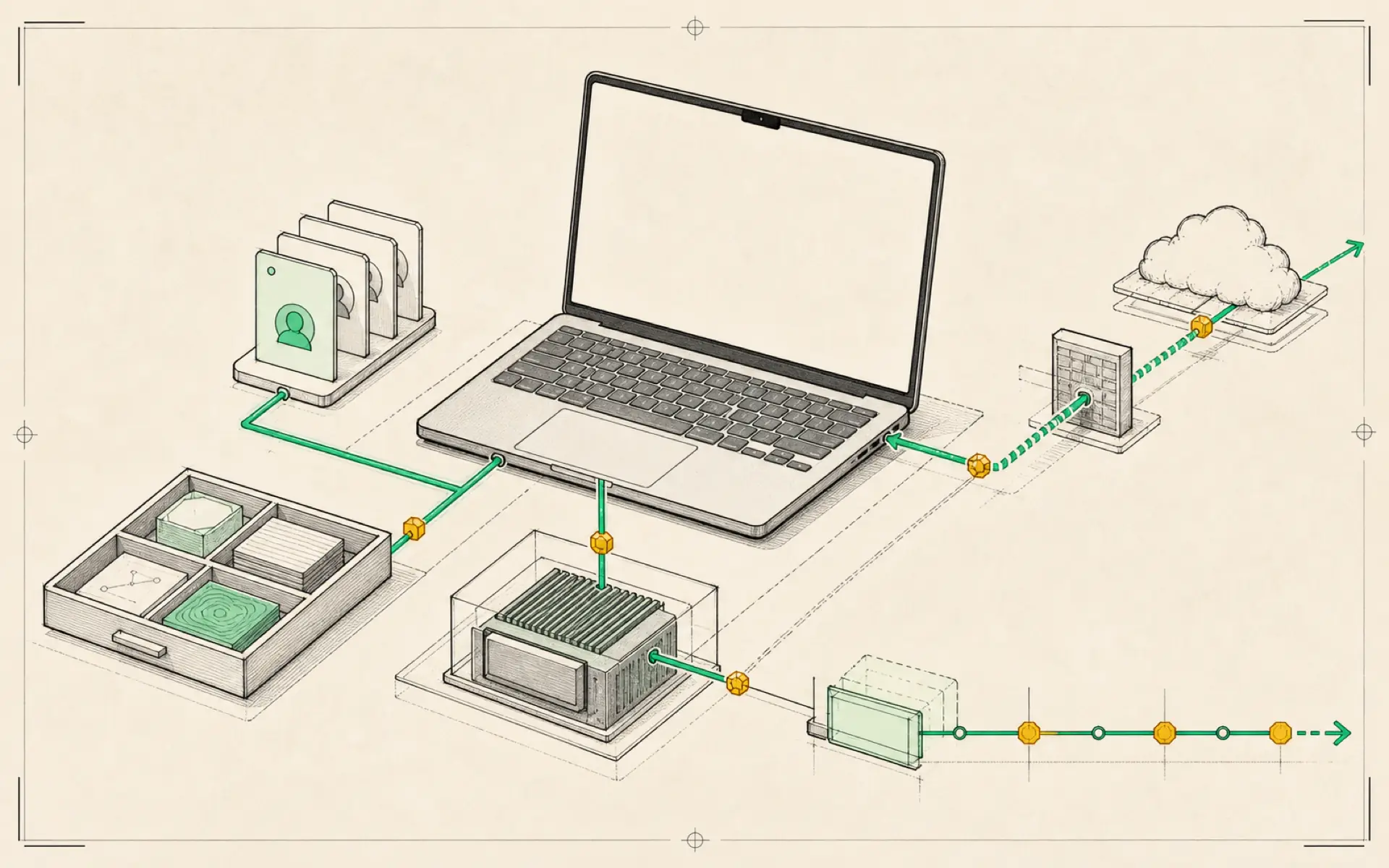
Hermes becomes much easier to understand when it is treated as a control center rather than a single chat window. A normal messenger is convenient for sending quick instructions, but it becomes difficult to manage once an agent has multiple sessions, files, scheduled jobs, specialist roles, and long-running projects. Hermes Desktop brings those pieces into one visual workspace.
The desktop application is useful at two very different stages. A beginner can use it to install Hermes and connect a model without working in a terminal. An experienced operator can use it to manage a remote Hermes instance that stays online on a server. The interface remains local, while the actual agent can run somewhere else around the clock.
Start with the simplest working installation
The quickest route is to download Hermes Desktop, place it in the computer’s application folder, and open it. During the first-run process, the app asks for a model provider. This is the service that supplies the language model Hermes uses to reason and write.
A cloud provider is the easiest starting point. Depending on the provider, access may come from an API key or an existing subscription login. Hermes then sends each request to that model and displays the response in the desktop interface. This separation matters: Hermes is the agent system, while the selected model is the reasoning engine behind it.
The settings screen makes this relationship visible. It allows the user to select a primary model, configure additional models for tasks such as vision or web extraction, and set a fallback model. A fallback provides continuity if the main provider is unavailable. Personality, time zone, workspace location, interface theme, and the visibility of reasoning blocks can also be adjusted without editing configuration files manually.
Local models are possible, but they change the trade-off
Hermes Desktop can also connect to a model running locally through software such as LM Studio. A local model avoids usage-based token charges and keeps more processing on the user’s own machine. However, it requires sufficient memory and computing power, and its quality may be lower than that of a leading hosted model.
The local setup generally involves downloading a compatible model, starting the local model server, and entering its address in Hermes. The model service and Hermes do not need to be on the same machine, provided that the network connection is configured safely. This makes it possible to run the interface on a laptop while using a more powerful computer elsewhere in the home or office.
For most beginners, the sensible progression is to prove the workflow with a cloud model first. A local model can be introduced later when privacy, predictable cost, or offline operation becomes more important.
Why a remote gateway matters
A desktop installation stops working when the computer sleeps or leaves the network. An always-on agent needs an always-on host. A virtual private server, or VPS, is a small rented computer in a data center that can run Hermes continuously.
The remote-gateway design separates three components:
- Hermes Desktop provides the visual interface.
- The Hermes gateway runs on the remote server and performs the work.
- The model provider supplies the language model.
After Hermes is deployed on the server, the desktop application can connect to the remote gateway instead of its local instance. A private networking tool such as Tailscale can provide a safer connection between the laptop and the server without exposing the gateway openly to the internet.
The practical benefit is simple: scheduled work continues when the laptop is closed. Telegram and other messaging connections also remain available. The desktop app becomes a window into a persistent agent rather than the machine on which the agent depends.
The desktop workflow is built around sessions and artifacts
A serious agent workflow produces much more than chat messages. Hermes Desktop therefore separates conversations into sessions and makes generated material easier to locate.
Sessions allow different projects to remain independent. A research conversation does not need to share the same visible history as a coding task or a personal planning thread. Artifacts collect useful outputs such as documents, links, images, and generated files. Instead of scrolling through months of messages to recover an earlier result, the user can search and browse the material directly.
The desktop interface also makes model switching and voice input more approachable. A user can choose a different model for a demanding task, then return to a cheaper model for ordinary work. This is especially valuable when several providers are configured, because the strongest model is not always the most economical choice.
Live previews and subagents turn a chat into a workspace
When Hermes creates a web page, report, or structured file, a live preview can show the result alongside the conversation. This shortens the feedback loop: the user can inspect the output, request a change, and see the revised result without moving between several applications.
Subagents extend the same idea to delegation. The main agent can assign separate pieces of work to specialist agents, such as research, coding, or content preparation. The main session remains the coordinating layer while the subagents work on bounded tasks. This is more useful than opening many unrelated chats because the delegation remains connected to a shared outcome.
Good delegation still requires clear instructions. Each subagent should receive a specific goal, the material it is allowed to use, and the expected output. Broad requests such as “research everything” create noisy results; a narrower request such as “compare these three products on price, privacy, and deployment complexity” is easier to verify.
Profiles create reusable agent roles
Profiles are one of the most important organizational features in Hermes Desktop. A profile can hold its own personality instructions, model preference, tools, and working conventions. This allows one Hermes installation to behave like several distinct assistants.
For example, an archive profile can be instructed to turn links into consistently tagged notes in an Obsidian vault. A research profile can transform messy questions and source pages into structured briefs. A coding profile can use a model selected for software work, while a writing profile can use a different model and style guide.
The value is not merely convenience. Profiles reduce repeated prompting. Once the role, tools, output format, and storage rules are recorded, the user can switch into the appropriate profile instead of explaining the entire workflow again.
Profiles can also make a shared server more flexible, but they should not be mistaken for strong user isolation. People connected to the same Hermes installation may still be able to see shared session history or files, depending on the setup. Separate accounts or instances are safer when privacy between users is required.
Cron blueprints make recurring work easier
A cron job is a task that runs on a schedule. Hermes can use cron jobs for daily briefings, repository monitoring, periodic research, inbox checks, and other work that should happen without a manual prompt.
Automation blueprints provide a reusable starting point. Instead of defining every schedule and instruction from scratch, the user can import a blueprint, supply the missing details, and review the resulting job. The desktop interface also provides controls to create, edit, pause, and trigger jobs manually.
Scheduling an agent requires more care than scheduling a simple script. The prompt should define what counts as a meaningful result, where the result should be delivered, and what the agent must never do automatically. A monitoring job may be allowed to report a change but not publish, purchase, delete, or contact someone without approval.
Skills and messaging complete the operating layer
Skills package repeatable methods so Hermes does not need to rediscover the same process every time. A skill can describe how to prepare a research brief, save a link, update a knowledge base, or use a particular external tool. The Skills Hub makes these packages easier to discover, install, enable, and disable.
Messaging integrations extend the agent beyond the desktop. Telegram, WhatsApp, and other supported channels can act as remote control surfaces. After a channel is configured and the gateway restarted, its conversations appear separately in the desktop application. This keeps mobile interactions available without mixing every message into the main desktop session.
Tokens and user identifiers used for messaging should be treated as secrets. Access should be restricted to known users, and credentials should never be pasted into public chats or screenshots.
A sensible path from experiment to daily system
Hermes Desktop lowers the barrier to installation, but its real value appears after the initial chat works. The strongest progression is gradual:
- Install the desktop application and connect one reliable model.
- Create separate sessions for different projects.
- Add one profile for a repeated type of work.
- Move the gateway to an always-on server only when continuous operation is needed.
- Add one carefully limited scheduled job.
- Introduce skills, subagents, and messaging after the basic workflow is stable.
This order keeps the system understandable. Hermes Desktop is powerful precisely because it can combine many moving parts, but those parts are easiest to trust when they are added one at a time and verified in real use.
Hands-on lab: Prove that Desktop work survives outside one window
- Outcome: Create one bounded Desktop session, produce a reviewable Markdown artifact, and resume the same session from the CLI.
- Time: 15–20 minutes.
- Risk: Low. The lab writes one file inside a disposable folder and does not use messaging, cron, or a remote gateway.
Before you start
- Finish provider setup and confirm a normal Hermes chat already works.
- Create or choose a disposable folder that contains no secrets or private documents.
- Keep dangerous-command approvals enabled; do not turn on YOLO mode for this lab.
This lab stays local. Before you later treat Desktop as an always-on remote control, pass this five-step gate. Desktop connects to a remote hermes serve backend; a Telegram, Discord, or Slack gateway is a separate process.
| Step | Success evidence | Stop when |
|---|---|---|
| 1. Prove the host | The remote host keeps hermes serve running under a process manager and hermes status --deep is healthy. |
The backend stops after logout or basic provider checks fail. |
| 2. Prove the boundary | A trusted-network backend is reachable only through Tailscale or another private network; a publicly reachable backend uses OAuth. | Basic-auth port 9119 is exposed directly to the public internet. |
| 3. Prove the target | Settings → Gateway → Remote gateway shows the intended profile, Remote URL, and an authenticated connection. | The profile is wrong, authentication is disabled, or the URL cannot be identified. |
| 4. Prove execution | A harmless prompt returns the remote hostname and states that it changed no files. | The answer identifies the local machine, requests extra access, or cannot prove where it ran. |
| 5. Prove recovery | After closing and reopening Desktop, the same remote profile reconnects and the session remains resumable. | Reconnection loses the session, switches profile, or requires weakening authentication. |
Build it
Launch the app from an existing Hermes installation:
hermes desktopIn Desktop, open the disposable folder as the session workspace and send this prompt:
Inspect only the current workspace. Create desktop-lab-summary.md with:
1. the workspace path,
2. a five-bullet inventory of what is present,
3. one clearly labelled next action.
Do not modify or delete any other file. Show the proposed content before writing it.
Review the proposed content, approve only the single file write, and confirm that desktop-lab-summary.md appears in the file browser. Close Desktop, then resume the most recent session from a terminal:
hermes --continueAsk Hermes to repeat the next action recorded in the artifact without changing any files.
Verify it
- Desktop displayed the configured model and completed more than one conversational turn.
- Exactly one new file,
desktop-lab-summary.md, exists in the disposable folder. hermes --continuerestores the conversation and the answer matches the artifact.- No unrelated file changed and no network or messaging integration was enabled.
If it fails
- If Desktop does not open, inspect its boot log with
hermes logs gui -f. - If the CLI cannot resume the session, run
hermes sessions listand confirm Desktop and the CLI use the same profile. - If Hermes tries to change extra files, deny the approval and repeat the prompt with the exact allowed filename.
Safety, privacy, and cost
Use a disposable, non-sensitive folder because the selected model may be cloud-hosted. Do not paste API keys into chat. Keep the file write scoped to one named path, inspect it before approval, and delete the lab folder manually when finished. This lab uses only a few model turns; stop if the provider dashboard shows unexpected repeated calls.
Official references
Source video: Master Hermes Desktop in 34 mins, Keith AI. Adapted and reorganized from the full transcript; promotional sections and spoken repetition were removed.