Secret Handling
What it is
Protecting API keys, tokens, private files, and identifiers from accidental exposure.
In plain terms
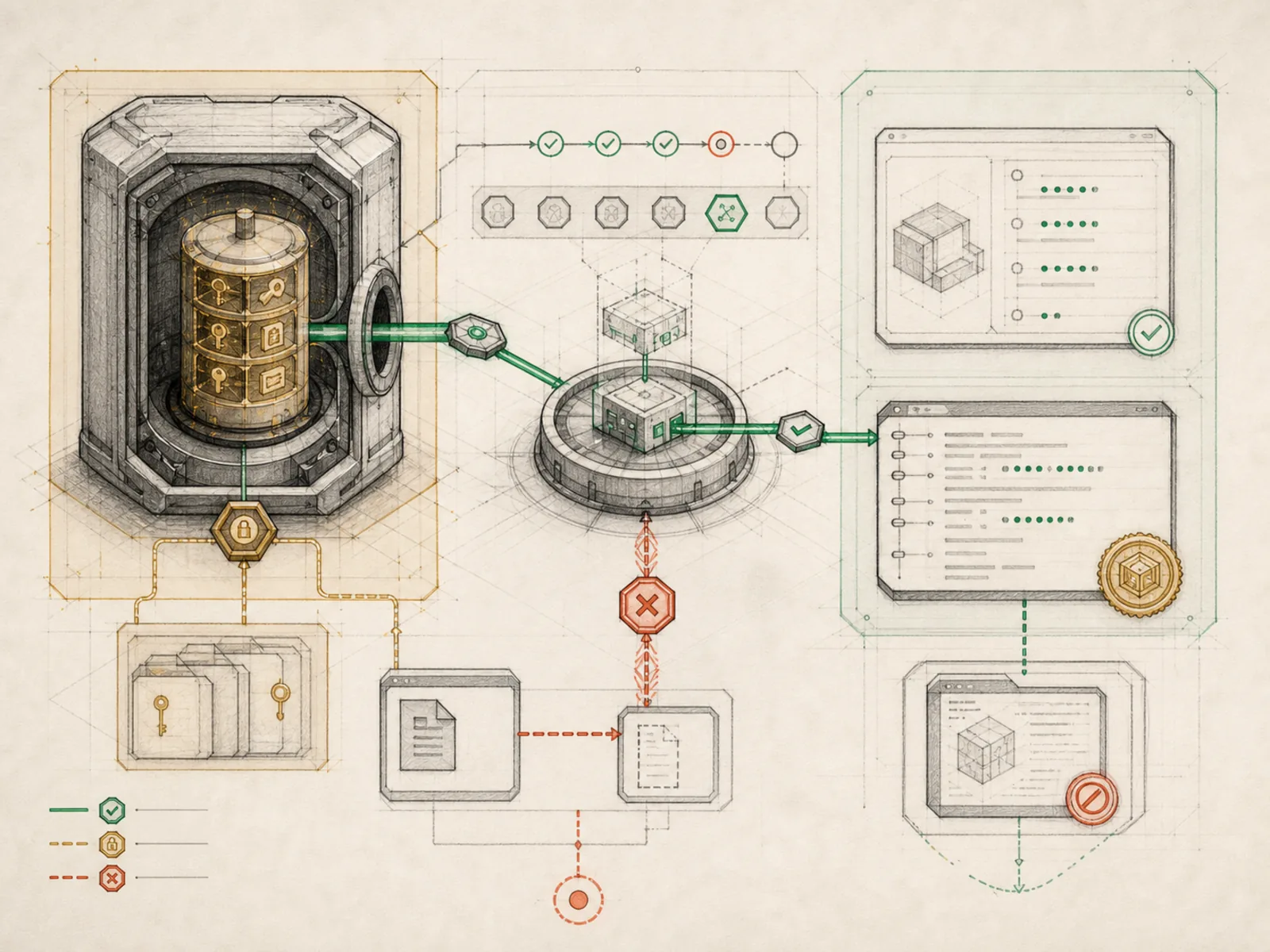
Think of a records office with several separate safeguards: some drawers are blocked, selected copies pass through a redaction desk, and the credentials screen shows only masked previews. Those safeguards reduce exposure, but they do not certify every document produced elsewhere in the building as secret-free.
Why it matters
Secret handling reduces exposure through scoped file denylists, output redaction, masked credential views, and keeping keys out of reusable prompts or skills. It is not a promise that every artifact or persistence path is sanitized: an arbitrary generated file can still contain sensitive text, and raw session or trajectory stores require their own protection. Gateway-connected workflows make those boundaries especially important because a leaked reply can be visible on another device.
How it works
agent/file_safety.py applies separate read and write denylists to the file tools: exact credential files, project .env files, and mcp-tokens are blocked from file-tool reads, while writes also block sensitive directories such as ~/.ssh, ~/.aws, and ~/.gnupg. This is defense in depth rather than a universal filesystem barrier because terminal or direct code paths follow their own policy. agent/redact.py masks recognized key, authorization-header, and connection-string patterns on selected output and persistence paths, and the dashboard shows credential-pool keys only as head-and-tail previews. These mechanisms do not guarantee that arbitrary generated artifacts, canonical SQLite rows, or trajectory exports are fully redacted.
A concrete example
Asked to help debug a project, the agent tries to read its .env file directly; Hermes returns ‘Access denied’ and points to .env.example instead. Later the agent summarizes a log file that happens to contain a leaked Bearer token; the summary shows the token replaced with a masked placeholder rather than the raw string. On the dashboard’s credentials page, that same provider key, added earlier to a failover pool, shows up only as something like sk-p…9f2a, never in full.
How it connects
This note belongs to the Operations family. Its closest neighboring concepts are: Sandbox Boundaries, Source Evidence, Agent Runtime, Personal OS.
Source evidence
route:GET:/api/credentials/pool— Explicit Source Map scope boundary: The web server route is outside the approved Core scope.vendor/hermes-agent/agent/redact.py#<file>— Structural Source Map fallback for agent/redact.py. A core source file in the Credential Scope and Redaction structure within Security and Observability.file:agent/file_safety.py— Explicit Source Map scope boundary: agent/file_safety.py is outside the approved Core source projection.
Workflows
- Gateway Mobile Command Center
Related articles
- How to Use Hermes Better Than Most People: Architecture, Project Isolation, and Scalable Workflows
- Why Hermes Feels Different: Memory, Self-Improving Skills, and an Agent That Keeps Working
- Scheduling Hermes: How to Build, Inspect, and Control Automated Cron Jobs
- Ten Underused Hermes Features That Reveal Its Real Power
- Hermes Agent 完整入門:打造安全、可持續成長的私人 AI 助理
- From Zero to a Personal AI Assistant: Building Hermes on a VPS Without Creating a Mess