Monitoring Jobs
What it is
Recurring jobs that inspect systems and report only meaningful changes.
In plain terms
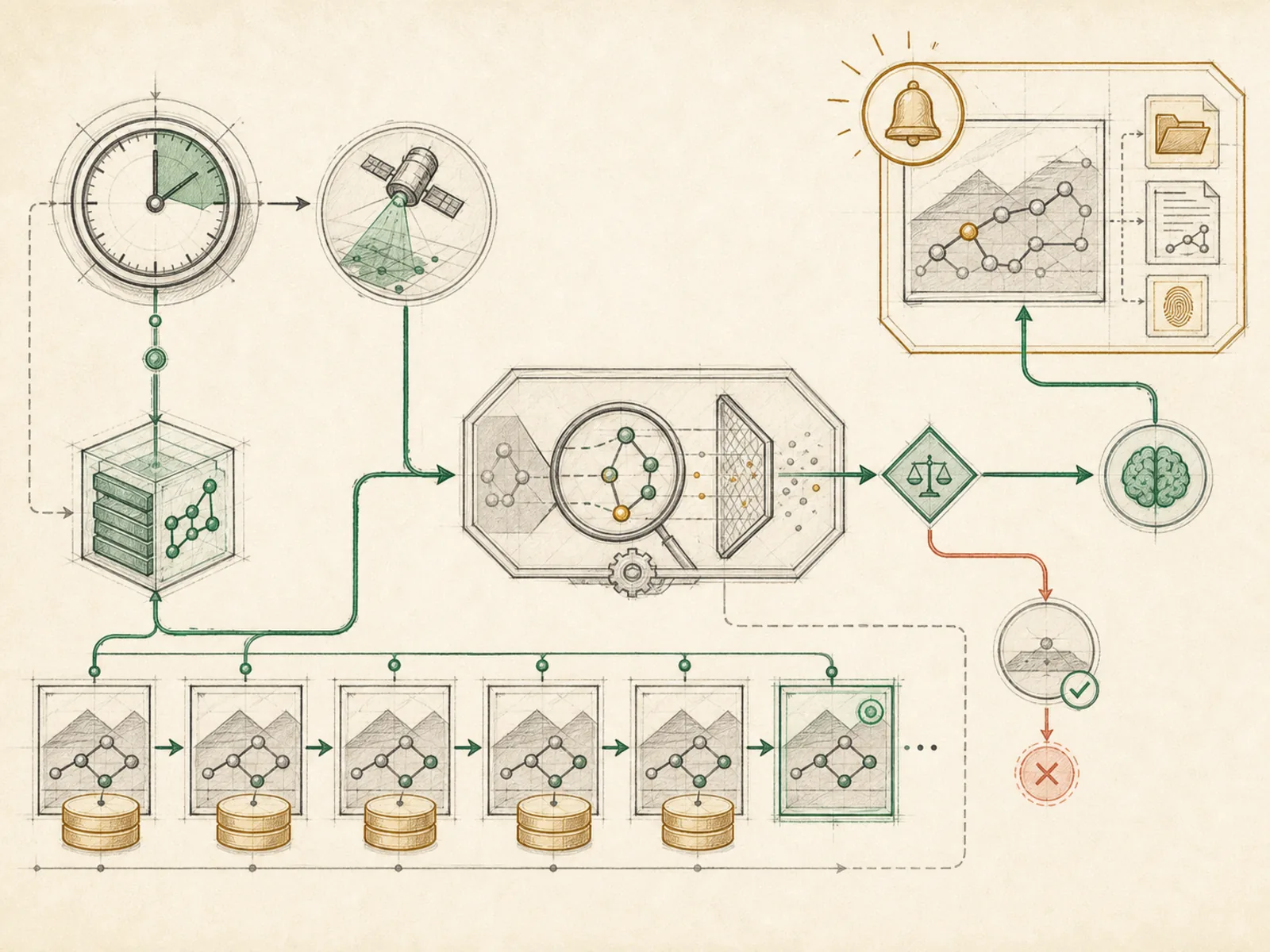
Think of a lab technician who runs the same blood panel on a fixed schedule, week after week, and only picks up the phone to call the doctor when a result actually falls outside the normal range — not after every single draw. A monitoring job works the same way: it runs on a fixed schedule, but it’s built to stay quiet when there’s nothing worth reporting, and only reach a person when a change is genuinely worth their attention.
Why it matters
Silence when nothing has changed is the correct outcome for a monitoring job, not a failure — a repo monitor or system health check only earns its recurring schedule if it filters noise rather than reporting every poll cycle regardless of content. No-model jobs and wake conditions typically do that filtering work, so the model-backed portion only runs when there’s actually something worth reporting. Get the filtering wrong and a monitoring job becomes exactly the kind of automation people learn to ignore.
How it works
A monitoring job is a recurring cron entry defined with an interval in minutes, a cron expression parsed by croniter, or a one-shot time (cron/jobs.py#compute_next_run). The scheduler’s tick fetches whatever is due via get_due_jobs() and runs each one through the same execute-save-deliver sequence other cron jobs use (cron/scheduler.py). The job’s prompt tells the agent to check something specific — a repo, a system, a feed — and the cron system prompt instructs it to reply with exactly [SILENT] when there’s nothing new. The scheduler recognizes that sentinel, whether it’s the whole reply or sitting on its own first or last line, and suppresses delivery to whatever channel is configured — while still saving the raw output locally, so silence is a deliberate, logged outcome rather than a dropped message.
A concrete example
You set up an hourly monitor on a shared repository. The schedule fires every hour, and the agent checks recent commits and open issues against a short prompt describing what matters. If nothing notable happened since the last run, it replies “[SILENT]” and Hermes logs that run without sending anything anywhere. The moment a commit touches a file you flagged as sensitive, the agent writes an actual summary instead, and that message reaches your configured channel — the one hour, out of a whole week of checks, where you actually hear from it.
How it connects
This note belongs to the Automation family. Its closest neighboring concepts are: Event-Driven Agents, Manual Triggering, Agent Runtime, Personal OS.
Source evidence
vendor/hermes-agent/toolsets.py#<file>— Structural Source Map fallback for toolsets.py. A core source file in the Tool Registry and Toolsets structure within Tools, Toolsets, and MCP.
Workflows
- Repository Monitor
- Cost-Aware Automation
Related articles
- Seven Cost-Aware Hermes Workflows That Go Beyond Chat
- Scheduling Hermes: How to Build, Inspect, and Control Automated Cron Jobs