Memory
What it is
Selected knowledge that survives beyond a single prompt and can influence future turns.
In plain terms
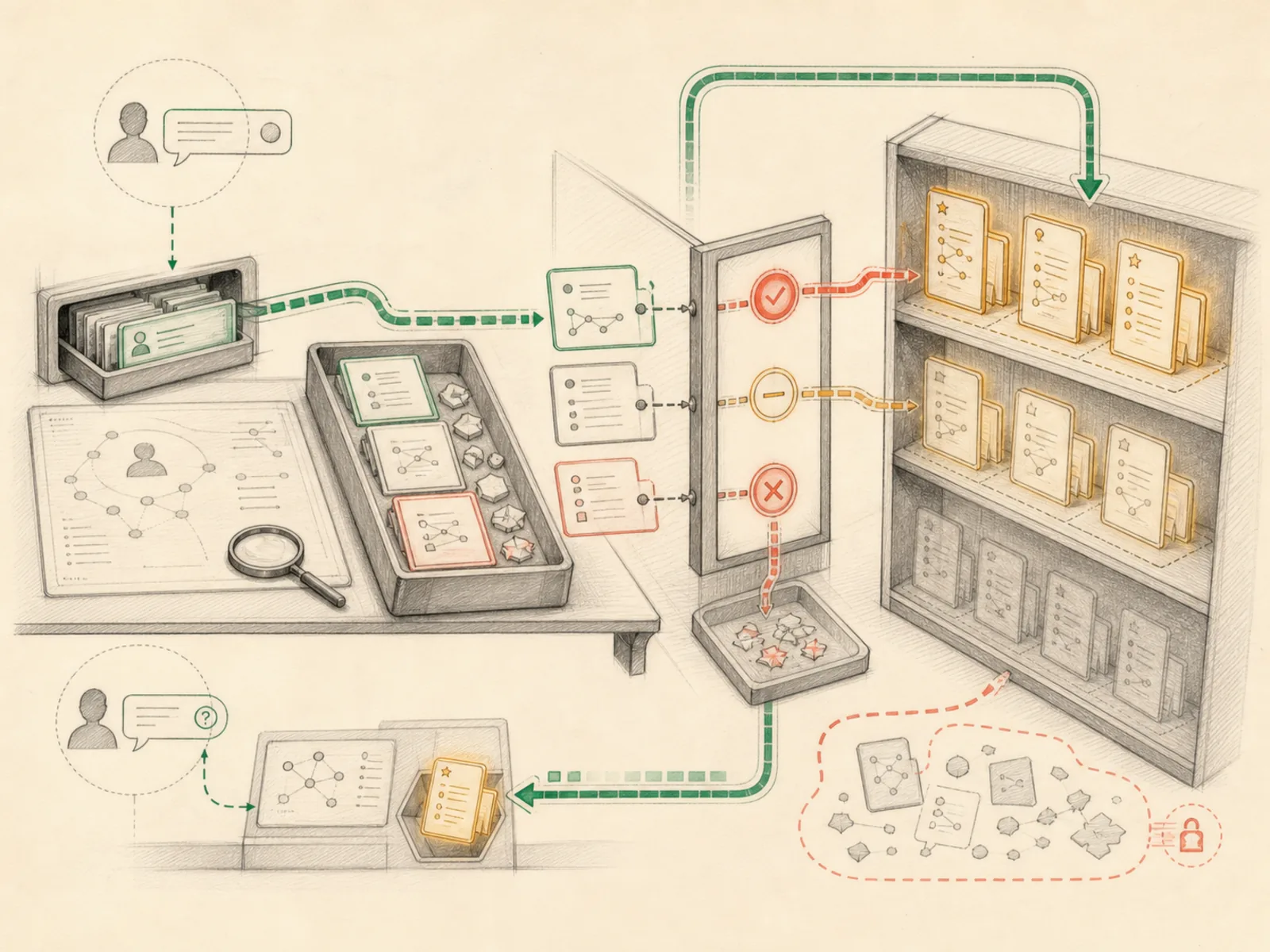
Memory is Hermes choosing which few details from a conversation are worth carrying into the future, the way a person might jot one line in a diary after a long day instead of transcribing every word. A user can explicitly ask for a save, and the tool instructions also permit proactive capture of stable preferences, corrections, personal details, or environment facts; temporary progress and easy-to-rediscover data should stay out.
Why it matters
A session with no memory layer starts from zero every time — no recollection of a user’s ongoing projects, preferences, or prior decisions. Memory is the mechanism that lets specific facts outlive the prompt that created them and get pulled back into a future turn’s context. It’s deliberately selective rather than a full transcript store, which is exactly what separates it from raw session history.
How it works
Underneath sits a single memory tool that lets the model add, replace, or remove short entries in two on-disk files: MEMORY.md for the agent’s own working notes and USER.md for facts about the person it’s talking to (tools/memory_tool.py). Both files load once at session start and get frozen into the system prompt as a fixed snapshot, keeping the model’s cached context stable; a write made mid-session updates the file on disk immediately but only appears in the prompt itself starting with the next session. MemoryManager (agent/memory_manager.py) is a separate layer that plugs in at most one external provider a user has configured; it doesn’t run this store itself, but gets notified whenever the store is written to, so it can mirror the entry out to that provider.
A concrete example
Say a user tells Hermes, over Telegram, that they always want cost estimates in Australian dollars, not US. Hermes treats that as a preference worth keeping, so it saves a short note to the user profile. Two weeks later, in a completely different session, the same person asks for a price on a new server, and the answer comes back in AUD without being reminded. If the memory file is already near its size limit, trying to add more gets rejected with the current entries shown, so something stale can be trimmed before the new note is saved.
How it connects
This note belongs to the Memory family. Its closest neighboring concepts are: Memory Tools, Memory Manager, Agent Runtime, Personal OS.
Source evidence
vendor/hermes-agent/tools/memory_tool.py:1022-1032#memory_tool— Verified Source Map evidence for memory_tool. The memory tool routes a single operation by action toadd,replace, orremove; this flow continues through theaddbranch.
Workflows
- Daily Priority Ritual
- Slack Second Brain
Related articles
- How to Use Hermes Better Than Most People: Architecture, Project Isolation, and Scalable Workflows
- Inside Hermes: How the Agent Loop, Context, Memory, Gateways, and Cron Jobs Work Together
- Why Hermes Feels Different: Memory, Self-Improving Skills, and an Agent That Keeps Working
- Six Hermes Use Cases for a More Intentional Personal Operating System
- The Ultimate Beginner’s Guide to Hermes: From First Installation to an AI Operations Team
- Hermes Agent for Beginners: A Step-by-Step Route from Empty Server to Useful Automation
- Building a Personal AI System with Hermes, Local Models, Automation, and a Shared Knowledge Base
- From Zero to a Personal AI Assistant: Building Hermes on a VPS Without Creating a Mess
- Seven Cost-Aware Hermes Workflows That Go Beyond Chat
- Ten Underused Hermes Features That Reveal Its Real Power
- Hermes Agent 完整入門:打造安全、可持續成長的私人 AI 助理
- Hermes Agent Explained: Why an Agent Harness Matters More Than Another Chat Window