Memory Tools
What it is
The model-facing add, replace, and remove operations for curated MEMORY.md and USER.md entries.
In plain terms
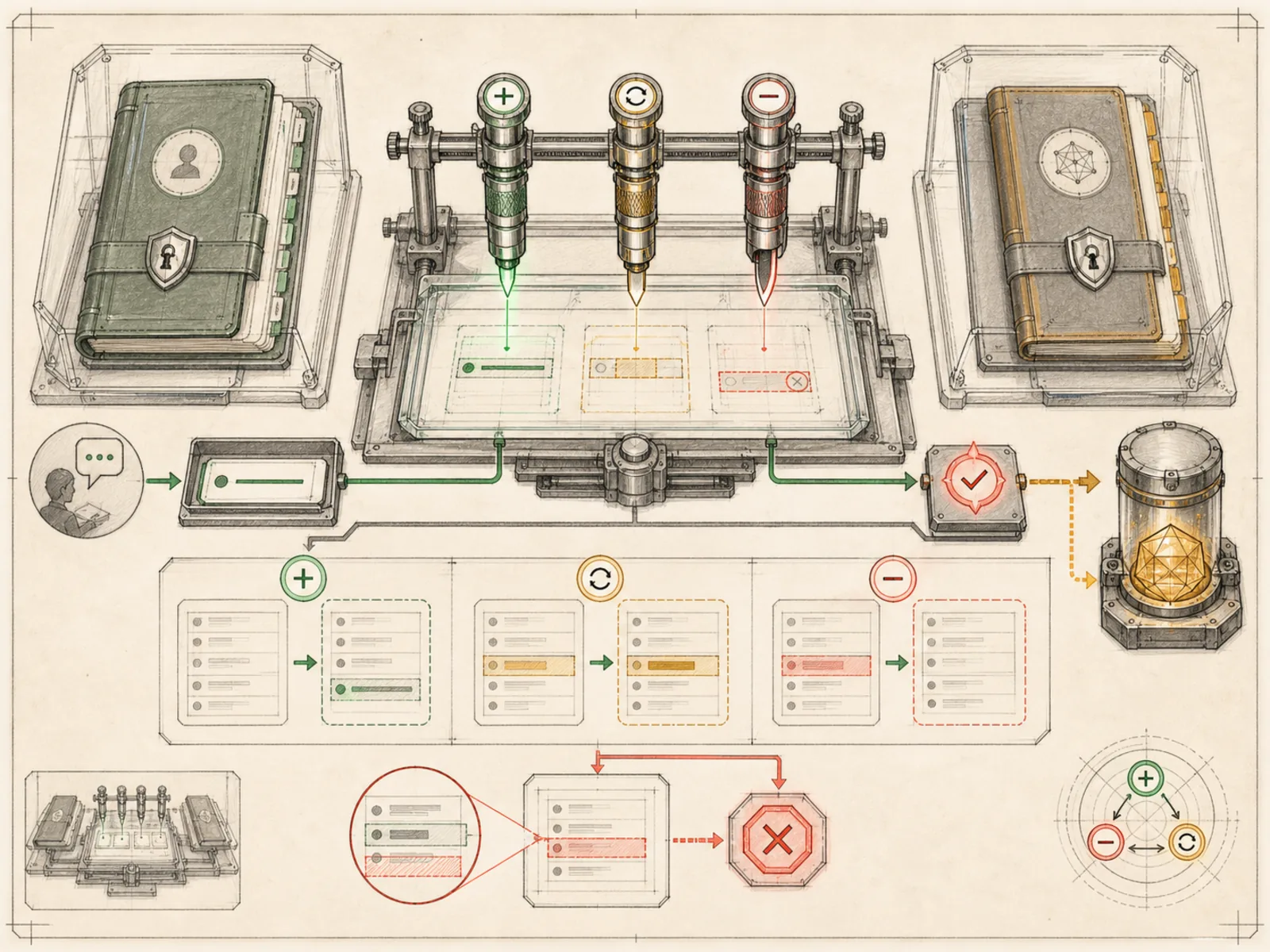
An intercom panel wired with separate buttons for adding a note, correcting one, or erasing one only does what its installer wired up. That is the memory tool: a single model-facing control surface with add, replace, and remove actions, gated the same way any other tool can be switched on or off for a given deployment.
Why it matters
The built-in memory tool gives the model one narrow mutation surface for curated notes: add, replace, or remove. It does not expose search, view, or retrieve actions, and there is no separate read-versus-write toggle inside this tool. Existing MEMORY.md and USER.md content reaches the model through system-prompt construction, while session search and optional external-provider tools are separate capabilities.
How it works
One tool named memory (tools/memory_tool.py) exposes an action of add, replace, or remove against a target of memory (the agent’s own notes) or user (facts about the person), plus a batch operations array for making several changes atomically in one call checked against the final character budget. Replace and remove work by old_text - a short unique substring identifying the entry, since entries have no ID. Every mutating call passes through a write-approval gate (tools/write_approval.py) that can allow it, block it outright, or stage it for later sign-off. A separate MemoryManager (agent/memory_manager.py) mirrors every successful add, replace, or remove out to one registered external provider - Honcho, Hindsight, and similar plugins - so that provider stays in sync with the built-in tool, and it keeps a provider’s own tool names from colliding with a reserved core tool.
A concrete example
Mid-conversation, the model calls memory with action add, target user, content “Prefers dark mode in every UI.” The tool checks that entry does not already exist, appends it, and confirms the save. When the user later changes their mind, the model calls memory again with action replace and old_text “dark mode” to swap in the new preference by matching the substring. If an operator has turned off the memory toolset for that deployment, the same call returns an error instead, and nothing is saved.
How it connects
This note belongs to the Memory family. Its closest neighboring concepts are: Privacy, Memory, Agent Runtime, Personal OS.
Source evidence
vendor/hermes-agent/tools/memory_tool.py:1022-1032#memory_tool— Verified Source Map evidence for memory_tool. The memory tool routes a single operation by action toadd,replace, orremove; this flow continues through theaddbranch.
Workflows
- No first-pass workflow mapping yet; this concept still appears in the vault graph through articles and source evidence.
Related articles
- No article currently mentions this concept by name/alias often enough to qualify (see mention-mining policy).