Artifacts
What it is
Useful generated outputs such as files, reports, images, and links.
In plain terms
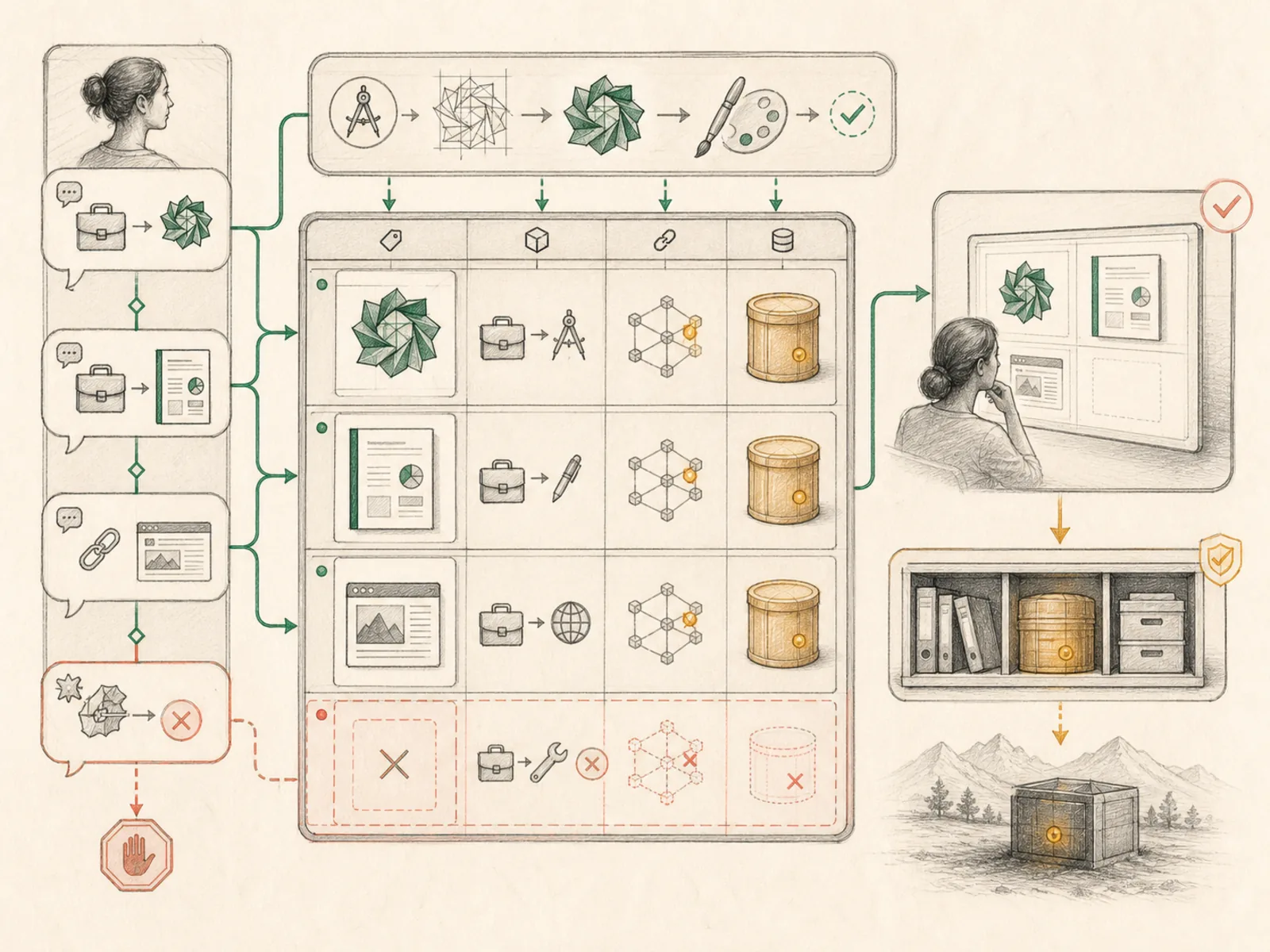
A conversation is mostly talk, but a roadtrip also leaves behind a stack of printed photos and gas receipts — the tangible things you actually bring home. Hermes artifacts are that stack: the files, images, and links a session leaves behind, pulled out of the chat transcript and listed separately so they’re not buried in scrollback.
Why it matters
A generated file, a report, an image, a link to something built during the turn — artifacts are what a session actually produces beyond the chat reply itself. Making these first-class, inspectable objects instead of text buried in a transcript is what lets live preview render a generated site or document immediately, rather than a user digging through conversation history to find it. Content repurposing and kanban execution workflows both depend on artifacts being addressable objects a later step can reference directly.
How it works
The desktop app builds this list client-side rather than the backend tagging outputs specially: collectArtifactsForSession in apps/desktop/src/app/artifacts/artifact-utils.ts scans each assistant and tool message’s text for markdown images, markdown links, bare URLs, and filesystem-looking paths, and separately walks any tool_calls or JSON tool results for string values whose key names hint at a path, file, url, image, artifact, output, download, result, or target. Anything with an image extension becomes kind ‘image’, anything starting with a path-like prefix becomes ‘file’, and everything else is a ‘link’, each recorded once per session with a label, a clickable href, and the originating session’s id and title so the artifacts view can jump straight back to that conversation.
A concrete example
Picture a session where Hermes generates a logo and a matching brand-guide PDF, then a later message pastes in a link to a competitor’s site for comparison. Opening the Artifacts view afterward shows the logo image, the PDF, and that pasted link as three separate entries instead of three lines buried in old chat. Filtering to just ‘Images’ hides the PDF and the link. Clicking any entry’s session name jumps straight back to the exact conversation that produced it.
How it connects
This note belongs to the Interfaces family. Its closest neighboring concepts are: Sessions, Live Preview, Agent Runtime, Personal OS.
Source evidence
web_server— Explicit Source Map scope boundary: hermes_cli/web_server.py is outside the approved Core scope.
Workflows
- Content Repurposing Station
- Kanban Agent Execution
Related articles
- How to Use Hermes Better Than Most People: Architecture, Project Isolation, and Scalable Workflows
- Six Hermes Use Cases for a More Intentional Personal Operating System
- The Ultimate Beginner’s Guide to Hermes: From First Installation to an AI Operations Team
- Scheduling Hermes: How to Build, Inspect, and Control Automated Cron Jobs
- Mastering Hermes Desktop: From Local Chat App to an Always-On Agent Control Center