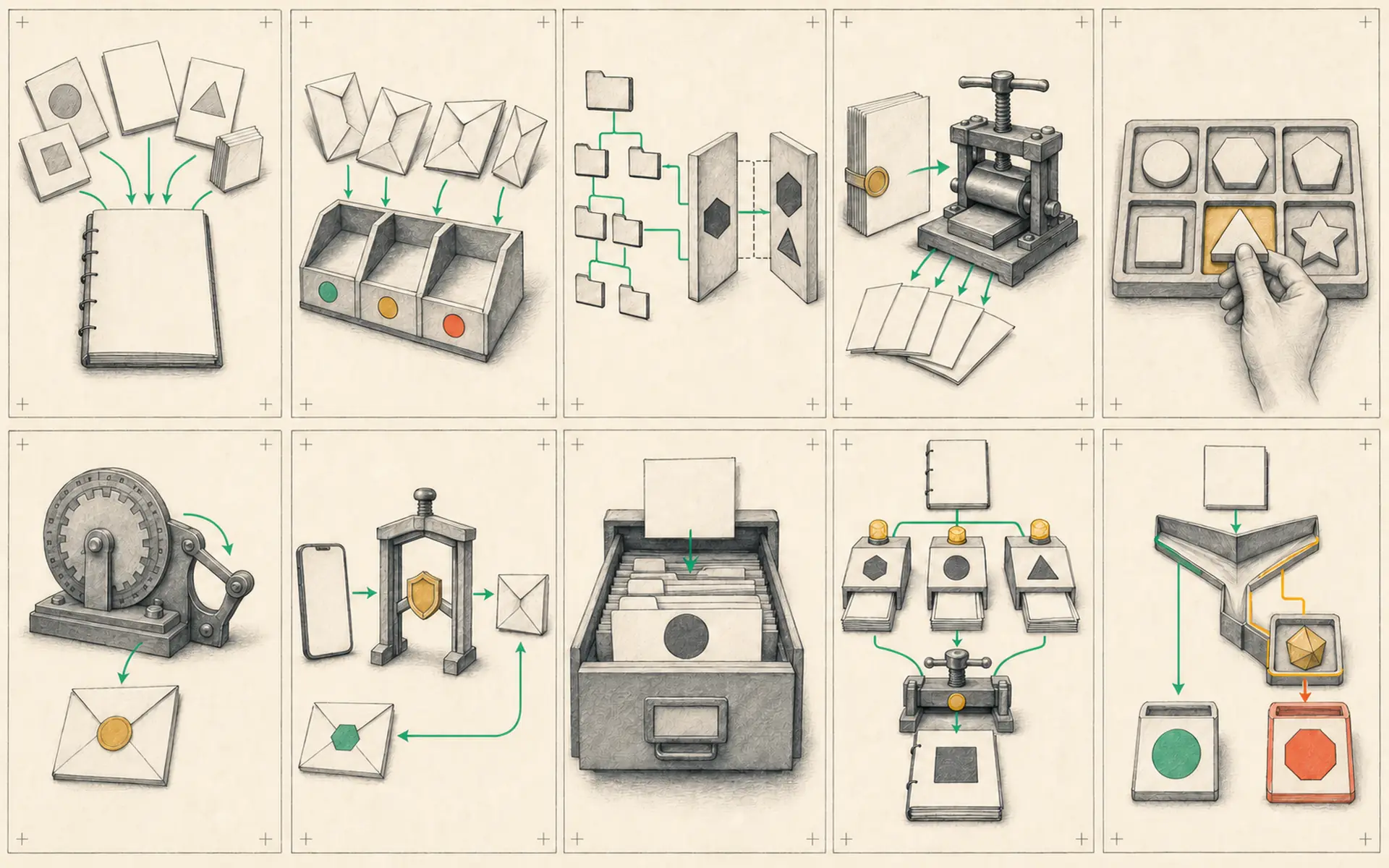
Ten Hermes Workflows That Turn a Chatbot into a 24/7 Assistant
Mission Control, Notion triggers, schedules, goals, subagents, Telegram workspaces, Kanban, reusable skills, webhooks, and specialized agents.
Hermes often begins as a chat app. The user sends a prompt, waits for a response, and repeats the process later. The system becomes much more valuable when work can enter from several sources, move through visible stages, and continue without constant prompting.
The following ten patterns form a practical operating system. They do not need to be installed at once. Each pattern solves a different management problem, and the strongest setup introduces them in response to real friction.
1. Build a Mission Control dashboard
A dashboard provides one view of agent activity, tasks, schedules, and results. Without it, work becomes scattered across Telegram messages, Notion pages, terminal logs, and generated files.
Mission Control should answer basic questions: What is running? What is waiting for approval? What failed? Which agent owns the task? Where is the final artifact?
The dashboard does not need to execute every action. Its primary job is visibility and control. Start with status and links, then add buttons for safe operations such as retry, pause, or approve.
2. Use Notion changes as workflow triggers
A Notion board can act as an editorial or production pipeline. Moving a video idea into a “Ready for Brief” status can trigger Hermes to gather research and create a filming brief.
The trigger should pass a stable page ID and a defined set of fields. Hermes can then read the approved concept, audience, and references, produce the brief, and attach the result to the same Notion item.
This is more reliable than asking the agent to scan the whole workspace repeatedly. The state change itself identifies what should happen.
3. Use cron jobs for scheduled intelligence
Cron jobs are best for predictable recurring work: morning research, weekly analytics, competitor updates, or project summaries.
The schedule should create a useful artifact even when the user is absent. It should also avoid creating empty noise. Define what counts as a meaningful change and where the report belongs.
Scheduled intelligence becomes more valuable when it feeds Mission Control or a project board rather than disappearing into a general chat.
4. Express outcomes as goals
A slash goal tells Hermes the desired outcome and allows it to plan several steps. A strong goal includes the audience, constraints, source material, and completion test.
For example, “Create a filming brief” is incomplete. A better goal asks for a brief based on the linked research, with a hook, outline, evidence, visual notes, and unanswered questions, saved to the associated project card.
Goals provide direction; they do not remove the need for review. Hermes should expose its plan and request approval before expensive or public actions.
5. Use subagents as a research and execution team
Subagents allow the main agent to delegate bounded tasks. One subagent can inspect competitor content, another can find supporting evidence, and another can prepare visual references.
Parallel work is useful when the tasks are independent. Each assignment should define the output format so the main agent can combine results. If all subagents return unstructured prose, the coordination cost may exceed the time saved.
The main agent remains responsible for reconciling conflicts and checking source quality.
6. Treat Telegram topics as workspaces
Telegram topics can separate projects while preserving mobile access. A topic for content research should map to a different Hermes session from a topic for operations or personal planning.
This keeps conversation context cleaner and makes it easier to return to a project. Clear naming matters. A topic should represent a durable workstream rather than one temporary question.
Topics are a control surface, not the permanent storage location. Final files and decisions should also be saved in the project system.
7. Use Kanban to manage agent work
A Kanban board makes task state visible. Typical columns include backlog, ready, in progress, waiting for approval, blocked, and complete.
Hermes can create and move cards, but the transition rules should be explicit. A task should not move to complete merely because the agent produced text. Completion may require a file, a successful test, or human approval.
The waiting-for-approval state is particularly valuable. It separates autonomous preparation from actions that require authority.
8. Package standard procedures as skills
Skills are reusable standard operating procedures. A filming-brief skill can define sources, structure, length, fact-check requirements, and destination. A social-post skill can define voice, platform limits, and approval rules.
Skills reduce prompt repetition and make results more consistent. Store them in version control and revise them after real failures. A skill that has never been tested is only a draft.
9. Use webhooks for event-driven agents
A webhook starts work when an external event occurs. A Notion update, new lead, form submission, or completed upload can notify Hermes immediately.
Event-driven workflows are often more efficient than schedules. They also carry data about the specific event, allowing Hermes to act on one known record instead of searching for what changed.
Webhooks must be authenticated. Do not accept unsigned requests from the public internet. Validate the event type and reject unexpected data.
10. Create specialized agents by job
Specialist agents such as a researcher, content strategist, or operations assistant can use different models, tools, and permissions. This reduces the risk of one general agent accumulating every credential and contradictory instruction.
A specialized agent should have a defined job and an output contract. It should not become a personality variant with no operational difference. The main coordinator decides which specialist receives the task and records the result in the common system.
How the ten pieces form one workflow
The patterns become more powerful when connected. A Notion status change sends a webhook. Mission Control creates a task. Hermes starts a goal and delegates research to subagents. The result is produced through a filming-brief skill, placed on the Kanban card, and sent to the relevant Telegram topic for approval. A cron job later checks whether approved content has reached the next stage.
Every step remains visible, and the human retains authority over publication.
Introduce the system in layers
The recommended order is:
- Create Mission Control or a simple central board.
- Add one reusable skill.
- Organize Telegram topics or sessions.
- Add one cron job.
- Introduce a goal and one subagent.
- Add a webhook after the manual workflow is stable.
- Split specialist agents when permissions or instructions require isolation.
The objective is not maximum automation. It is a system in which work enters predictably, progresses visibly, and ends in a verifiable artifact. That is what turns Hermes from a chat application into a 24/7 assistant.
Hands-on lab: Accept one authenticated external event
Outcome: An external system can send a signed research request to Hermes, which accepts the event and records the agent result locally.
Time: 20–30 minutes.
Risk: Medium. The webhook starts a model-backed agent run and opens an HTTP endpoint; do not forward or expose port 8644 during the first local test.
Before you start
Hermes includes a webhook adapter, but Notion, a custom Mission Control dashboard, and their status-change automations are external integrations—not built-in Hermes workflows. They must send a signed request or use a separately configured connector.
Do not change other Hermes settings while this lab is running. First create a
private backup of ~/.hermes/.env and ~/.hermes/config.yaml. The backup
command refuses to overwrite an earlier lab backup; if that directory already
exists, inspect or move it before continuing.
hermes doctor
openssl version

(
  set +x
  set -euo pipefail
  umask 077
  HERMES_HOME_DIR="$HOME/.hermes"
  BACKUP_DIR="$HERMES_HOME_DIR/webhook-lab-backup"
  test ! -e "$BACKUP_DIR" || {
    printf '%s\n' 'Backup already exists; inspect or move it before continuing.' >&2
    exit 1
  }
  mkdir -p "$BACKUP_DIR"

  if [[ -f "$HERMES_HOME_DIR/.env" ]]; then
    cp -p "$HERMES_HOME_DIR/.env" "$BACKUP_DIR/env.original"
  else
    touch "$BACKUP_DIR/env.was-absent"
  fi

  if [[ -f "$HERMES_HOME_DIR/config.yaml" ]]; then
    cp -p "$HERMES_HOME_DIR/config.yaml" "$BACKUP_DIR/config.original.yaml"
  else
    touch "$BACKUP_DIR/config.was-absent"
  fi
)
Now generate a strong test secret directly into ~/.hermes/.env. The command
keeps the value out of the copyable example, restricts the file to your account,
and refuses to append duplicate webhook keys. Do not commit this file.
(
  set +x
  set -euo pipefail
  umask 077
  ENV_FILE="$HOME/.hermes/.env"
  mkdir -p "$HOME/.hermes"
  touch "$ENV_FILE"
  chmod 600 "$ENV_FILE"

  if grep -qE '^WEBHOOK_(ENABLED|PORT|SECRET)=' "$ENV_FILE"; then
    printf '%s\n' 'Webhook settings already exist; review them instead of appending duplicates.' >&2
    exit 1
  fi

  WEBHOOK_SECRET="$(openssl rand -hex 32)"
  printf '%s\n' \
    'WEBHOOK_ENABLED=true' \
    'WEBHOOK_PORT=8644' \
    "WEBHOOK_SECRET=$WEBHOOK_SECRET" >> "$ENV_FILE"
  unset WEBHOOK_SECRET
)
Build it
Open or create ~/.hermes/config.yaml in a text editor and merge the
following keys into it; do not replace the whole file. If platforms or
platforms.webhook already exists, add only the missing nested keys at the
matching indentation. The explicit host: "127.0.0.1" binds this test endpoint
to the current computer only.
platforms:
  webhook:
    enabled: true
    extra:
      host: "127.0.0.1"
      port: 8644
      routes:
        research-request:
          events: ["research.requested"]
          prompt: |
            Create a concise research brief for: {topic}
            Audience: {audience}
            Include three source URLs, separate facts from uncertainty,
            and do not publish or modify external systems.
          deliver: "log"
Save the file and run hermes doctor again. If it reports a YAML or webhook
configuration error, restore config.original.yaml from the backup directory,
or remove only the lab-created config when config.was-absent exists. Then stop
instead of guessing at indentation.
Start the gateway in one terminal:
hermes gatewayRead the startup output and stop if it does not report the webhook listener on
127.0.0.1:8644. Do not continue if it binds to 0.0.0.0, a LAN address, or a
public address.
Verify it
In a second terminal, check health and send a signed local event. The subshell loads the secret without printing it and clears its temporary variables when the request finishes.
(
  set +x
  set -euo pipefail

  curl http://localhost:8644/health

  SECRET="$(sed -n 's/^WEBHOOK_SECRET=//p' "$HOME/.hermes/.env" | tail -n 1)"
  test -n "$SECRET"
  BODY='{"event_type":"research.requested","topic":"Hermes cron safety","audience":"new operators"}'
  TIMESTAMP="$(date +%s)"
  SIG=$(printf '%s.%s' "$TIMESTAMP" "$BODY" | openssl dgst -sha256 -hmac "$SECRET" -hex | awk '{print $2}')

  curl -sS -X POST http://localhost:8644/webhooks/research-request \
    -H "Content-Type: application/json" \
    -H "X-Webhook-Timestamp: $TIMESTAMP" \
    -H "X-Webhook-Signature-V2: $SIG" \
    -d "$BODY"

  unset SECRET SIG BODY TIMESTAMP
)
Success means health returns status ok, the POST returns an accepted response for research-request, and the gateway log receives the completed brief.
Return the machine to its pre-lab state. In the first terminal, press Ctrl+C
and wait for the gateway process to exit. In the second terminal, restore the
two backups; if a file did not exist before the lab, remove only the file that
the lab created.
(
  set -euo pipefail
  HERMES_HOME_DIR="$HOME/.hermes"
  BACKUP_DIR="$HERMES_HOME_DIR/webhook-lab-backup"
  test -d "$BACKUP_DIR"

  if [[ -f "$BACKUP_DIR/env.was-absent" ]]; then
    rm -f "$HERMES_HOME_DIR/.env"
  else
    cp -p "$BACKUP_DIR/env.original" "$HERMES_HOME_DIR/.env"
  fi

  if [[ -f "$BACKUP_DIR/config.was-absent" ]]; then
    rm -f "$HERMES_HOME_DIR/config.yaml"
  else
    cp -p "$BACKUP_DIR/config.original.yaml" "$HERMES_HOME_DIR/config.yaml"
  fi
)

if curl -fsS --max-time 2 http://127.0.0.1:8644/health; then
  printf '%s\n' 'Port 8644 is still open; stop the gateway before finishing.' >&2
  exit 1
else
  printf '%s\n' 'Safe final state: port 8644 is closed.'
fi
The restored files remove the test route and secret. Run hermes doctor and
confirm ordinary Hermes settings still work. Only then remove the exact private
backup directory, which may contain a copy of real credentials:
hermes doctor
BACKUP_DIR="$HOME/.hermes/webhook-lab-backup"
[[ "$BACKUP_DIR" == "$HOME/.hermes/webhook-lab-backup" ]]
rm -rf -- "$BACKUP_DIR"
If it fails
- A 401 response means the request secret differs, a V2 signature header is missing, or the local clock placed the timestamp outside the allowed five-minute window.
- A 404 response means the URL route name does not match research-request.
- If health fails, confirm that the gateway is running and port 8644 is free.
- If the event is accepted but no result appears, inspect ~/.hermes/logs/gateway.log for provider or tool errors.
- If port 8644 remains open after
Ctrl+C, runhermes gateway status, stop the active gateway, and repeat the closed-port check before leaving the lab. - If restoration fails, stop and recover the two original files from
~/.hermes/webhook-lab-backup; do not recreate settings from memory. - Do not delete the backup directory until the restored
hermes doctorcheck succeeds.
Safety, privacy, and cost
Never use INSECURE_NO_AUTH outside an isolated local test. Keep .env at mode
600, never display or commit the secret, and rotate it immediately if it reaches
terminal output or version control. Treat every payload field as untrusted even
after signature validation; external titles and descriptions can contain
prompt injection. This lab must remain bound to 127.0.0.1, end with the gateway
stopped, restore the previous config and secret state, and confirm port 8644 is
closed. Public routes additionally require exposure review and rate limits; they
are outside this lab. Every accepted model-backed event can incur model and tool
cost.
Official references
Source video: These Hermes Agent Hacks Will Save You Hours, Sharbel A. Adapted and reorganized from the full transcript; promotional material was removed.