The Ultimate Beginner’s Guide to Hermes: From First Installation to an AI Operations Team
A structured path through hosting, channels, memory, profiles, connectors, autonomous workflows, content systems, business use cases, and pricing.
Hermes can be used as a chatbot, but that is the least interesting version of the system. Its deeper value appears when it becomes an agent harness: an environment that combines models, identity, memory, tools, channels, schedules, and reusable skills.
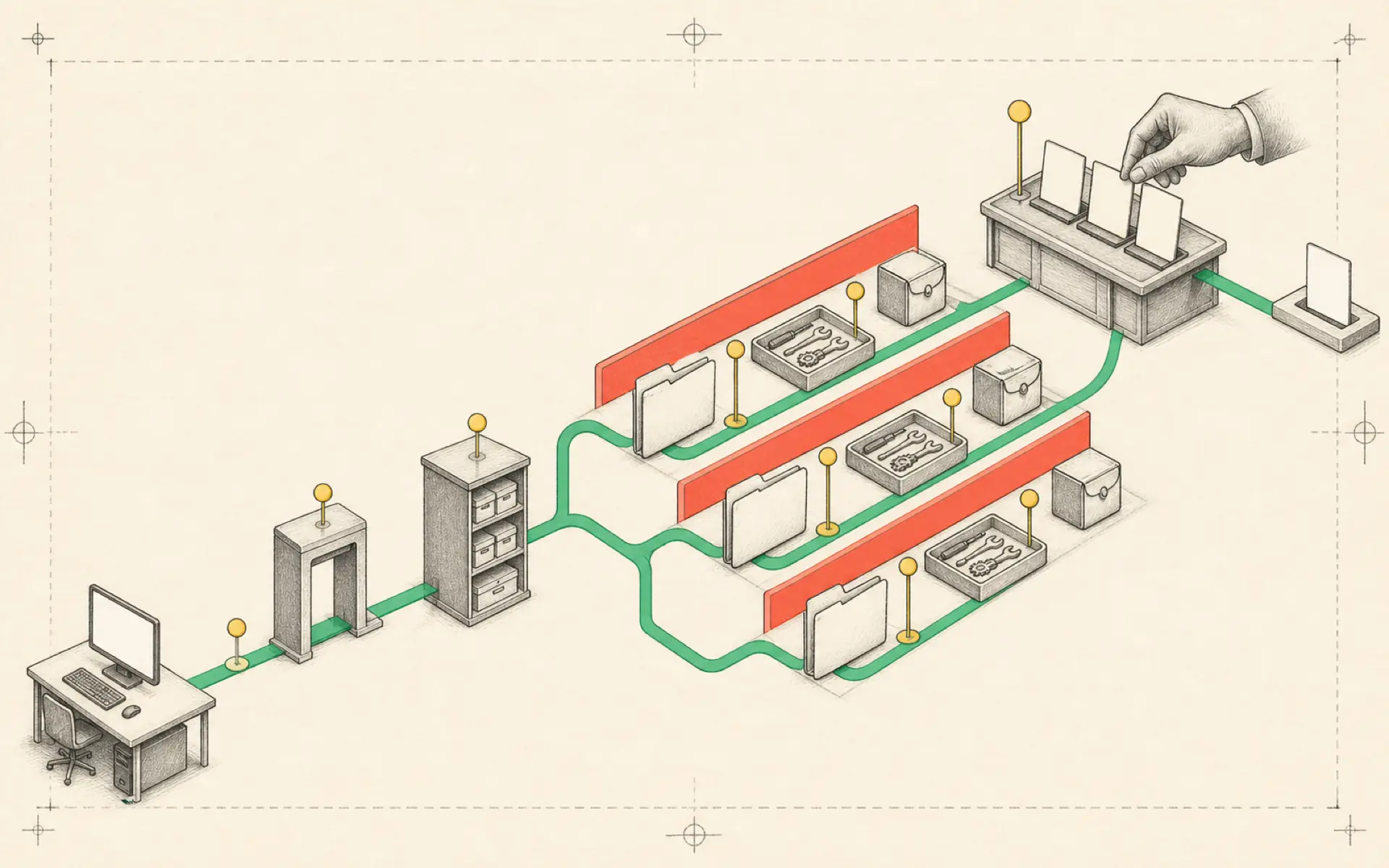
Because the platform can grow in many directions, beginners often install too much at once. A clearer approach is to build in layers. First establish a stable assistant. Then give it identity and memory. Add channels and project management. Finally, package proven workflows into skills and autonomous jobs.
Part I: Understand the harness
A language model is the engine; Hermes is the vehicle around it. The model provides reasoning, but the harness gives it steering, memory, tools, and a place to store work.
This explains why the same model behaves differently across ChatGPT, a coding assistant, and Hermes. The surrounding instructions and capabilities change the work it can perform.
Hermes emphasizes self-improvement and memory curation. A successful procedure can become a skill. Important user facts can be stored in reviewable files or a dedicated memory layer. The benefit compounds only when these additions are curated. Uncontrolled memory and skill growth creates the same disorder it was meant to solve.
Part II: Build a repairable foundation
Decide whether Hermes should run locally or on a server. Local installation is simpler for experimentation. A VPS is appropriate when the agent must remain online for messaging and schedules.
Keep a second technical assistant available during setup. A coding agent such as Codex can inspect errors, compare configuration, and help repair the environment. This “buddy system” is valuable because an agent cannot reliably fix itself when its own runtime is broken.
Install Hermes Desktop as the primary control surface and connect a reliable model. Maintain a backup information source—a news portal, documentation collection, or external search tool—so the agent can verify current facts instead of relying only on model memory.
Computer use may be enabled later. Visual control of browsers and desktop applications is powerful but less dependable than direct APIs or command-line tools. Use it only when a structured integration is unavailable, and keep high-risk actions behind confirmation.
Part III: Add communication channels
Telegram is usually the easiest mobile gateway. Create a bot through BotFather, protect its token, and restrict the allowed user IDs. Telegram topics can act as separate workspaces so research, personal planning, and operations do not share one long thread.
Slack allows Hermes to behave more like a team member. Place it in selected channels, limit what it can read, and state when it should respond. An agent that comments on every message quickly becomes disruptive.
iMessage integration through a bridge such as Photon introduces another service and security boundary. Let Hermes configure parts of the integration only after the user understands which credentials, devices, and permissions are involved.
Regardless of channel, preserve a central view of active sessions. Messaging should be an interface to the same managed system, not a collection of disconnected bots.
Part IV: Define identity and shared memory
The case-sensitive SOUL.md file can describe personality, values, communication style, and behavioral boundaries. The case-sensitive USER.md file can contain stable information about the user. Keep both concise and reviewable.
Long-term memory becomes difficult when several channels or agents need the same facts. Honcho offers a shared memory layer that can help maintain continuity across sessions. Connecting through OAuth simplifies authentication, but users must decide what information is appropriate to store with an external service.
Shared memory should not replace project files. A client brief, campaign plan, or technical specification belongs in an explicit document. Memory is best for durable context and preferences, not as the only copy of important work.
Part V: Give the agent project structure
A chat timeline is a poor project-management system. A visual board such as Multica can pair conversation with tasks and status. Hermes can become a project manager that creates work items, tracks dependencies, and reports blockers.
Profiles allow one Hermes installation to support multiple roles. A researcher, content producer, operations assistant, and developer can have separate models, tools, and instructions. Squads group agents into a coordinated team.
These structures need clear handoffs. Every delegated task should define the expected artifact, the deadline or stopping condition, and who reviews it. A team of agents without ownership is simply a larger source of confusion.
Part VI: Choose the right connector
Hermes can reach external services through several mechanisms:
- MCP servers provide standardized tools and structured responses.
- Command-line tools are efficient and transparent when the service offers a reliable CLI.
- Direct APIs provide precise control but require custom authentication and error handling.
- Composio can act as a gateway to many business applications.
- Computer use imitates a person in a browser or desktop interface.
Prefer the most structured and least fragile option. A direct API or well-designed MCP tool is generally easier to verify than clicking through a website visually.
For Google Workspace, a dedicated CLI or connector can expose Gmail, Calendar, Drive, and related services. Start with read-only tasks and test each tool separately.
Part VII: Build autonomous work with a five-step recipe
A dependable agent workflow can be designed in five parts:
- Trigger: a schedule, webhook, or user goal starts the work.
- Context: the agent receives the relevant project facts and constraints.
- Tools: it gathers data or performs bounded actions.
- Artifact: it produces a file, report, page, or task update.
- Review and learning: a person checks the result, and successful procedure improvements are saved.
A morning briefing demonstrates the pattern. A cron job runs at a fixed time, reads calendar and approved information sources, summarizes priorities, and delivers the result. Once the workflow is stable, package it as a reusable skill.
The /goal approach can start a larger outcome rather than a single action. The agent decomposes the goal, delegates subtasks, and assembles an artifact. It remains important to define the final result clearly—“build a responsive animated product page using these brand assets” is more testable than “make a great website.”
Part VIII: Apply the same pattern to real business outputs
The course demonstrates a wide range of builds, but they share the same operating logic.
Animated websites
Hermes can coordinate design references, web research, asset generation, and deployment tools to build a one-shot site. The output should still be tested for mobile layout, accessibility, performance, and correct links. Visual polish does not replace functional verification.
Property marketing kits
A reusable skill can transform property data and images into listing copy, social posts, flyers, and landing-page assets. The source details must remain authoritative; the agent must not invent room counts, prices, or neighborhood claims.
Lead-scraping extensions should respect privacy, platform terms, and outreach laws. A list of contacts is not automatic permission to send messages.
Content production systems
One approved idea can be repurposed into short-form scripts, carousels, newsletters, and social posts. A content calendar can track status, while tools such as Blotato handle approved publishing.
AI video editing can use a two-pass process: first remove dead space and select the main cut, then add B-roll and visual treatment. Human review remains important for timing, factual claims, and brand tone.
E-commerce advertising
An ad factory can turn a product brief into multiple creative concepts and variants. The workflow should preserve approved product claims and separate testing hypotheses. Performance data can inform later iterations, but the agent should not interpret a small sample as a definitive conclusion.
Community and inbox management
A community assistant can classify questions, prepare draft answers, and surface urgent issues. Giving the agent its own email account creates clearer accountability than sharing a personal inbox. Permissions and retention rules should be explicit.
Trading and investment workflows
Hermes can gather public filings, market data, and signals from services such as QuiverQuant or Coinvest. A self-improving research workflow may refine its analysis based on evaluated outcomes.
Automated trading carries financial risk. Research, paper trading, and alerting should be separated from live execution. Model-generated reasoning is not a substitute for financial advice, risk limits, or regulatory compliance.
Health and longevity coaching
An agent can organize sleep, exercise, nutrition, and wearable data into trend reports. It should identify patterns and questions for a professional rather than diagnose conditions. Health data needs particularly careful storage and access controls.
Part IX: Build one command center
As the number of profiles, tools, and workflows grows, a central command center—called Jarvis in the course—becomes useful. It provides one place to see tasks, schedules, agents, artifacts, and failures.
The same five-part recipe applies: define the command center’s source data, tools, views, actions, and review process. It should expose what the agents are doing rather than hiding complexity behind a friendly name.
Part X: Turn agent systems into a service
Businesses may pay for outcomes rather than for the underlying software. Entry-level offers include installation and an executive-assistant setup. More advanced offers include websites, property kits, content systems, advertising workflows, and community operations.
Pricing should reflect the value and risk of the outcome, not only the number of hours required to build it. Ongoing systems justify retainers for monitoring, repair, model changes, and workflow improvement. Risk reversal—such as a limited pilot or clear acceptance criteria—can make the offer easier to adopt.
Do not sell “an AI agent” as an abstract object. Sell a defined result with boundaries: a daily executive briefing, a lead-processing workflow, or a content-production pipeline.
What to do next
The three-hour range of possibilities can be overwhelming. A beginner should choose one path:
- Install Hermes and one model.
- Connect one channel.
- Define identity and basic user information.
- Build one project board or workspace.
- Implement one five-step workflow.
- Package it as a skill after it works.
- Add a schedule only when the workflow is safe without supervision.
The goal is not to reproduce every demonstration. It is to understand the common architecture and apply it to one valuable problem. Once that system is dependable, each new workflow becomes an extension of an operating model the user already understands.
Hands-on lab: Produce your first useful artifact
Outcome: A working Hermes installation turns a small input note into a saved, verifiable briefing.
Time: 10–15 minutes.
Risk: Low. The lab writes only inside a new directory, but it may use paid model tokens according to your configured provider.
Before you start
Complete the installation and provider setup first; Article 04 covers the longer beginner setup route. This lab starts from a working hermes command.
Choose one business lane and prove its first local artifact before connecting a live account:
| Lane | First reviewable artifact | Connector to add later | Human gate |
|---|---|---|---|
| Executive operations | A cited calendar-and-priority briefing from synthetic inputs | Read-only Calendar and inbox access | Verify dates, owners, and source links before relying on it. |
| Content production | A source-grounded draft pack with claims and uncertainties | Approved research and publishing tools | Fact-check and approve the final voice; do not auto-publish. |
| Lead or CRM intake | A deduplicated CRM draft from test enquiries | Test Gmail and Sheets accounts | Approve every live row and every outbound reply. |
| Website or campaign work | A local preview plus an asset and acceptance checklist | Build, analytics, or deployment tools | Check claims, links, accessibility, and deployment separately. |
| Finance or health | An evidence-only report with provenance | Read-only official APIs or user exports | Keep trading, diagnosis, and treatment decisions outside the agent. |
If a lane cannot produce a correct local artifact from controlled inputs, do not add its connector, schedule, or external write permission.
hermes doctor
mkdir -p "$HOME/hermes-first-workflow/inputs"
mkdir -p "$HOME/hermes-first-workflow/outputs"

cat > "$HOME/hermes-first-workflow/inputs/today.txt" <<'EOF'
Goal: understand one useful Hermes workflow.
Constraint: finish in 30 minutes.
Question: what should I build next?
EOF

cd "$HOME/hermes-first-workflow"
hermes
Build it
At the Hermes prompt, set a persistent goal with an explicit completion contract:
/goal Create outputs/first-brief.md from inputs/today.txt.
verify: outputs/first-brief.md exists and contains Goal, Recommended next step, and Done when sections
constraints: preserve inputs/today.txt and do not use external publishing tools
boundaries: only read or write inside the current directory
stop when: the input is missing or ambiguous
Use /goal show to review the contract while it runs.
Verify it
After Hermes reports that the goal is achieved, leave the session and inspect the file yourself.
test -s "$HOME/hermes-first-workflow/outputs/first-brief.md"
rg -n "Goal|Recommended next step|Done when" "$HOME/hermes-first-workflow/outputs/first-brief.md"
sed -n '1,80p' "$HOME/hermes-first-workflow/outputs/first-brief.md"
Success means the file is non-empty, contains all three required sections, and the original input is unchanged.
If it fails
- Run hermes doctor if the CLI or provider fails before the goal starts.
- Use /goal status and /goal show if the loop pauses or declares success too early.
- If the file lands elsewhere, start a new session from $HOME/hermes-first-workflow and keep the boundary in the completion contract.
- If the task is genuinely blocked, use /goal clear rather than repeatedly spending turns.
Safety, privacy, and cost
The goal judge makes a small model call after each turn, so vague completion criteria can waste tokens. Keep the turn scope narrow and inspect the final artifact yourself. Do not use a first workflow to send messages, publish content, or change accounts; produce a local draft before granting external permissions.
Official references
Source video: The Ultimate Beginner’s Guide to Hermes Agent, Samin Yasar. Condensed and reorganized from the complete three-hour transcript; promotional passages and repeated demonstrations were removed.