Hermes for Small Business: Turning Inbox Messages into a Maintainable CRM Workflow
A beginner-friendly example of connecting Hermes Desktop to Gmail and Google Sheets through Composio.
Small businesses do not need a complicated autonomous-agent program to benefit from AI. Many of the best opportunities are ordinary administrative workflows: copying details from emails, updating a CRM, preparing follow-ups, and making sure a lead does not disappear inside an inbox.
Hermes Desktop provides a practical place to start because it combines a conversational interface with skills, tools, profiles, artifacts, and schedules. Through an integration platform such as Composio, Hermes can connect to business applications without requiring the user to build every authentication flow manually.
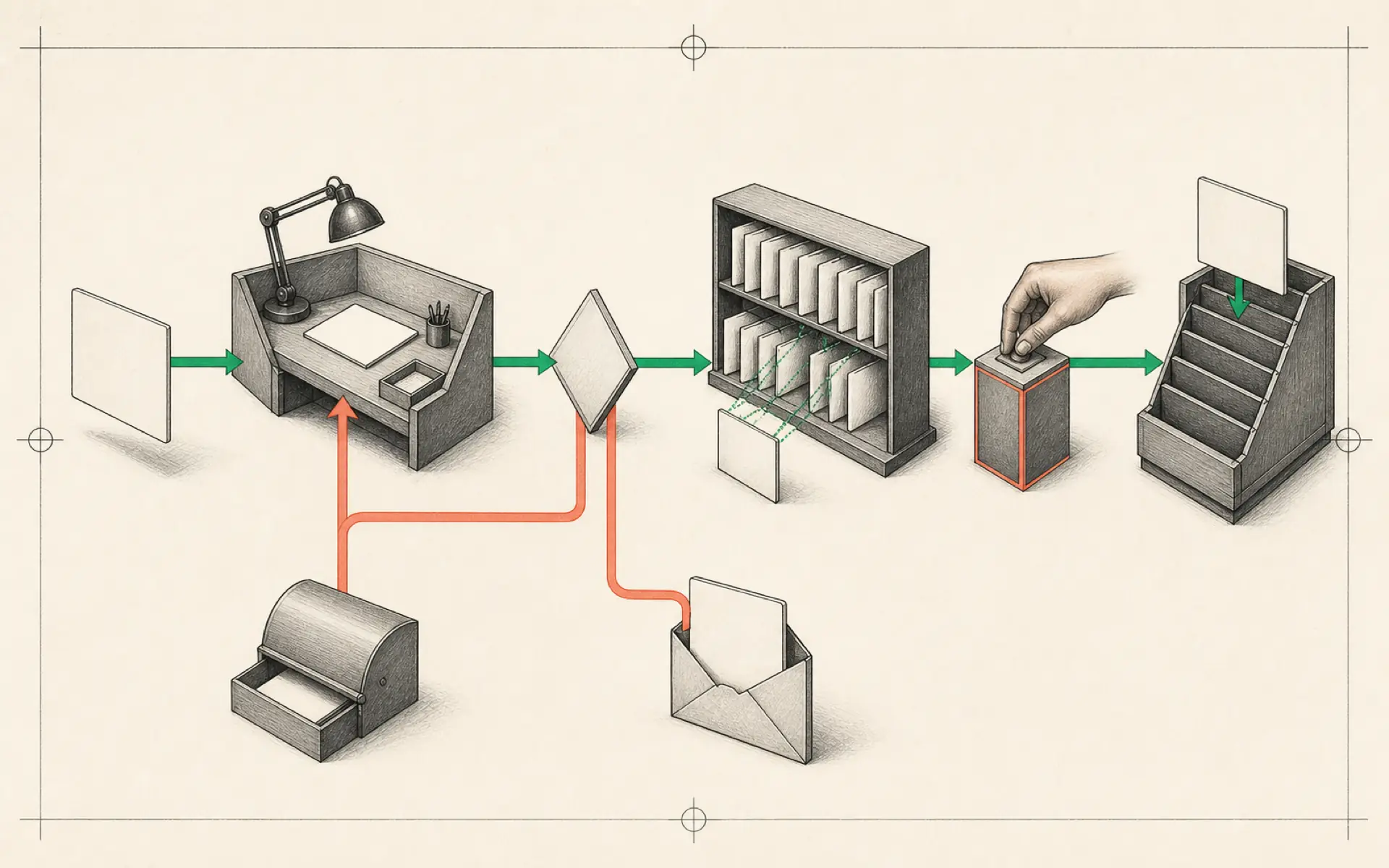
The example in this guide is intentionally modest. Hermes checks Gmail for new influencer enquiries, extracts the relevant details, and adds qualified contacts to a Google Sheets CRM. The purpose is not the spreadsheet itself; it is to demonstrate a repeatable pattern that can later support many other business processes.
Begin with the desktop application
Download Hermes Desktop and connect a model provider. A subscription-based login may be the quickest path for a first test, while API-based providers offer more explicit usage tracking.
Before adding business accounts, become familiar with the interface. Sessions separate conversations. Profiles can hold different roles and instructions. Skills store repeatable procedures. Tools connect Hermes to external capabilities. Artifacts contain outputs. Cron jobs schedule recurring work.
This vocabulary matters because a maintainable automation uses each component for a specific purpose. The email-to-CRM procedure belongs in a skill, its timing belongs in a cron job, and its account access belongs in a connector.
Map the manual process first
Before connecting anything, write down how a person performs the task:
- Open the inbox.
- Find new influencer or partnership enquiries.
- Read the sender’s name, email, organization, social profile, audience, and proposal.
- Decide whether the message fits the business criteria.
- Check whether the contact already exists in the CRM.
- Add a new row with a status and source message.
- Flag uncertain cases for human review.
This becomes the automation specification. If the human process is vague, the AI process will be vague as well.
Connect business applications with limited permissions
Composio acts as a connection layer between Hermes and applications such as Gmail and Google Sheets. The user authorizes each account and makes the resulting tools available to the agent.
Permissions should be kept narrow. The Gmail connection may need to read selected messages but not delete or send email. The Sheets connection may need access only to one CRM spreadsheet. Granting full account access is convenient but increases the impact of a mistake.
Account connection is not the same as workflow completion. Test each tool independently. Ask Hermes to list a small set of matching messages, then ask it to read the header row of the intended spreadsheet. Confirm that it sees the correct mailbox and sheet before combining the actions.
Design the CRM before writing rows
A spreadsheet CRM needs a stable schema. Suitable columns might include:
- date received;
- contact name;
- email address;
- company or channel;
- social profile;
- audience or reach;
- enquiry type;
- summary;
- qualification status;
- follow-up owner;
- source message link.
Hermes should read the header row and map extracted information to these fields. Missing values should remain blank or be marked as unknown rather than invented.
Define a duplicate rule, usually based on email address plus organization. Without this check, every scheduled run may create the same contact again.
Turn the process into a skill
The skill should state which emails qualify for review, which fields to extract, how to identify duplicates, and when to request approval. It should also define what the agent must not do.
For example, the first version can prohibit sending replies. Hermes may prepare a draft in an artifact, but a person approves the final message. This creates immediate value without allowing an untested system to communicate externally.
The skill should produce a short run report:
- messages inspected;
- qualified contacts found;
- rows added;
- duplicates skipped;
- cases requiring review;
- errors or inaccessible data.
The report makes the automation auditable and helps improve the qualification criteria.
Test with controlled examples
Create or select a small group of known emails: one clear match, one irrelevant message, one duplicate contact, and one ambiguous enquiry. Run the workflow manually.
Inspect both the spreadsheet and the report. Confirm that no existing row was modified unexpectedly and that the agent did not infer details that were not present. Adjust the skill until the same test set produces consistent results.
Only after this manual test should the workflow be scheduled.
Add a cron job carefully
A cron job can run the skill at a practical interval, such as every weekday morning. More frequent execution is not automatically better. It increases model usage and may create noise without improving response time meaningfully.
The schedule should specify the mailbox query, the lookback period, the destination sheet, and the report delivery channel. It should remember a checkpoint or use message IDs so the same inbox range is not processed indefinitely.
Trigger the cron job manually after creation. Then verify its next scheduled run and confirm that the report reaches the expected location.
Expand from one workflow, not from a tool list
Once the email-to-CRM automation is stable, the same pattern can support other tasks:
- triage support requests and assign categories;
- create draft follow-up messages;
- update lead stages after replies;
- prepare a daily sales summary;
- collect invoice attachments for review;
- flag unanswered high-priority messages;
- enrich approved CRM records from public sources.
Each expansion should begin with a written manual process and narrow permissions. The goal is not to connect every business app. It is to remove a specific bottleneck while preserving visibility and control.
The business case is measured in reliable minutes saved
AI automation is valuable when it reduces repetitive work without creating a larger review burden. A small workflow that saves twenty dependable minutes every day may be more valuable than an impressive agent that requires constant repair.
Hermes provides the operating layer, Composio provides application access, and the skill provides the business method. When those responsibilities remain separate, the workflow is easier to change, audit, and reuse.
Hands-on lab: Build a local, draft-only CSV CRM
- Outcome: Transform four controlled inbox examples into one qualified CRM draft row plus an audit record for every input, without connecting Gmail, Google Sheets, or Composio.
- Time: 20–30 minutes.
- Risk: Low. The lab uses synthetic data and writes one reversible local draft file; it does not send messages or change a live CRM.
Before you start
- Create a disposable folder and enable Hermes filesystem checkpoints for the session.
- Use synthetic names and addresses only; do not copy real customer email into this first test.
- Keep external connectors disabled until the local acceptance cases pass.
Build it
Save this controlled input as inbox-sample.csv in the disposable folder:
message_id,received_at,name,email,organization,proposal
m-001,2026-07-01,Ada,ada@example.test,North Studio,Partnership enquiry for a product review
m-002,2026-07-02,Ada,ada@example.test,North Studio,Duplicate follow-up to m-001
m-003,2026-07-03,Cai,cai@example.test,Unknown,General newsletter with no partnership request
m-004,2026-07-04,Dee,dee@example.test,South Lab,Ambiguous request requiring human review
Run a checkpointed session from that folder and give Hermes this bounded task:
hermes chat --checkpoints --toolsets "file" -q "Read inbox-sample.csv. Create only crm-draft.csv and crm-audit.md. Preserve message_id; never invent missing data; classify each row as qualified, duplicate, irrelevant, or review; record every input once in the audit with its reason and source; add only qualified rows to crm-draft.csv; do not send email, access the network, or modify the input file."The draft must use this header:
message_id,received_at,name,email,organization,status,reason,sourceVerify it
crm-draft.csvcontains exactly one data row: the qualifiedm-001record.crm-audit.mdcontains every inputmessage_idexactly once:m-002isduplicate,m-003isirrelevant, andm-004isreview.- Blank or unknown input remains blank or unknown rather than being invented.
inbox-sample.csvis unchanged and no message, network request, or live CRM write occurred.
If it fails
- If draft or audit rows are missing or duplicated, ask Hermes to reconcile both outputs by
message_idand rerun against the same four-case fixture. - If it invents data, reject the draft and strengthen the explicit unknown-value rule.
- If the input changed, use the checkpoint rollback flow before trying again.
- Do not move to Gmail or Sheets until the local output passes every acceptance check consistently.
Safety, privacy, and cost
Synthetic data removes customer privacy risk during design. The explicit file toolset enforces the local capability boundary; the prompt alone would not. A production email workflow introduces personal information, OAuth scopes, retention duties, and a third-party data boundary. Connect Gmail or Sheets only after reviewing least-privilege OAuth permissions and only to a test account or test spreadsheet first. Keep replies draft-only and human-approved. Do not invent or run Composio commands; its setup is outside the pinned Hermes documentation used by this lab.
Official references
Source video: Hermes Agent for Beginners: Automate Your Business With AI Agents, ShazzH. Adapted and reorganized from the full transcript; promotional material was removed.