Inbox Triage
What it is
A bounded workflow for classifying, summarizing, and routing incoming messages.
In plain terms
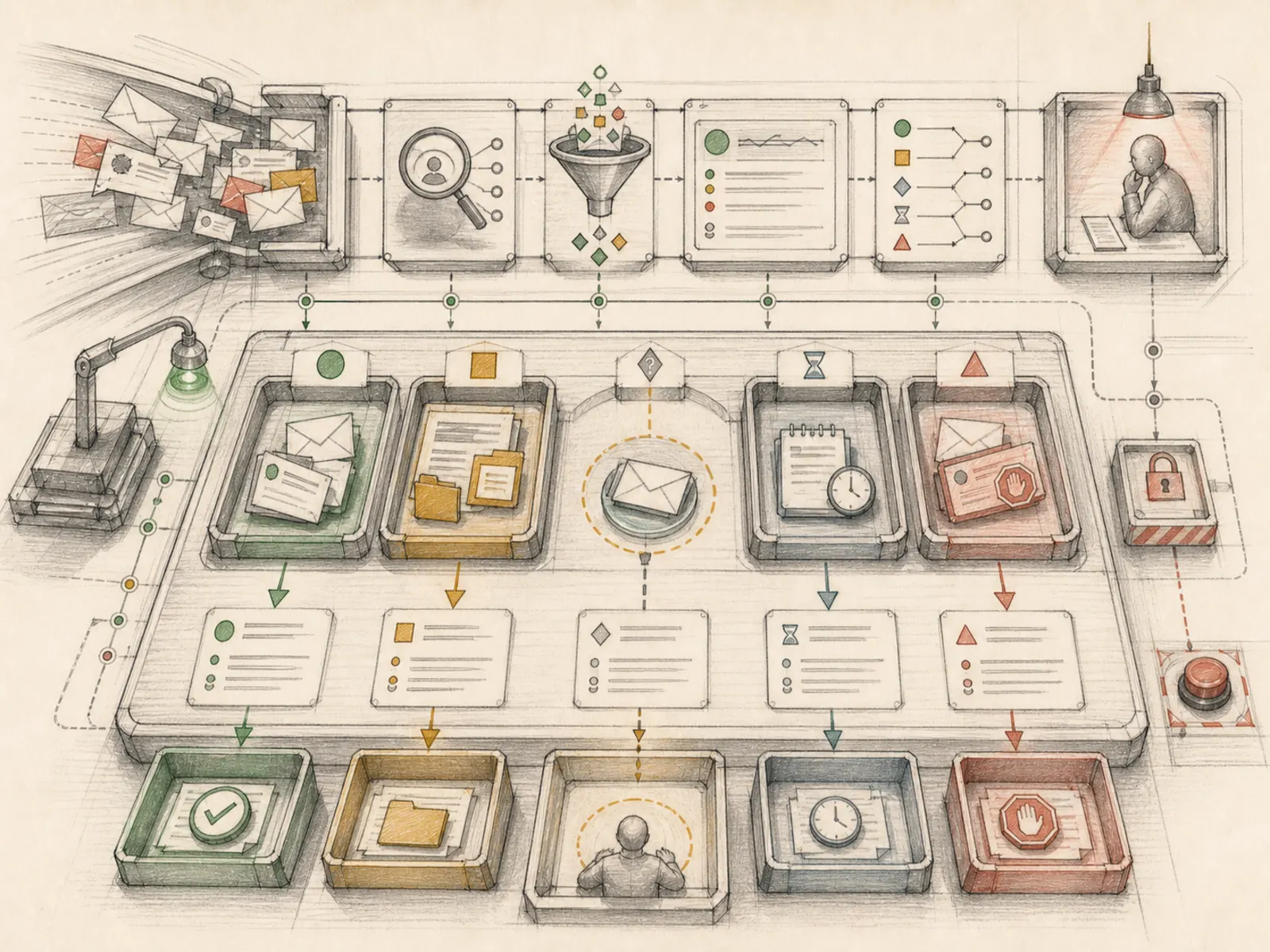
A night-shift doorman who won’t buzz in anyone whose ID doesn’t check out, no matter how convincing their story sounds through the intercom, is a fair comparison here; only after that does a second staffer actually listen to what a legitimate visitor needs and send them to the right office. Inbox Triage runs a mailbox the same way: nothing reaches a decision about content until the sender itself has been verified.
Why it matters
Before a message ever reaches the model, the email gateway adapter already filters it: _is_automated_sender() drops senders matching no-reply and bounce patterns or bulk-mail headers like Precedence and List-Unsubscribe, and _dispatch_message() silently discards anything not listed in EMAIL_ALLOWED_USERS. Classifying what a message actually IS, not just whether Hermes should look at it, happens one layer up — typically a Google Workspace skill’s gmail_search and gmail_get calls via the terminal toolset. That two-stage shape, a cheap deterministic filter ahead of model judgment, is what makes pointing this at an unfiltered inbox tractable.
How it works
Before content gets classified at all, the email gateway checks whether the sender can be trusted: _verify_sender_authentication() (plugins/platforms/email/adapter.py) reads the Authentication-Results header that the receiving mail server itself stamps after running SPF, DKIM, and DMARC checks — because the visible From: address is trivially forgeable and can’t be trusted on its own, a message with no such header, or a failing one, is treated as unauthenticated rather than passed through. Messages that clear that authentication check reach the actual triage step, which runs through the terminal toolset: a Google Workspace skill script runs commands like gmail search “is:unread” or gmail get MESSAGE_ID (skills/productivity/google-workspace/SKILL.md), returning structured JSON — sender, subject, snippet, or full body — that Hermes reads to decide what a message actually needs.
A concrete example
An email arrives claiming to be from “billing@yourbank.com” asking you to confirm account details — but its Authentication-Results header shows a DMARC failure, so the gateway treats it as unauthenticated before Hermes ever reads the content, regardless of how convincing the subject line looks. A separate, legitimate email from a real client thread passes authentication, then gets pulled through gmail get as full JSON; Hermes reads the body, tags it “needs reply today,” and leaves a note in the day’s summary rather than answering on its own.
How it connects
This note belongs to the Workflow Patterns family. Its closest neighboring concepts are: Business CRM, Research Briefing, Agent Runtime.
Source evidence
plugin:platforms/email— Explicit Source Map scope boundary: The platform plugin is outside the approved Core scope.vendor/hermes-agent/toolsets.py#<file>— Structural Source Map fallback for toolsets.py. A core source file in the Tool Registry and Toolsets structure within Tools, Toolsets, and MCP.
Workflows
- Business CRM Intake
Related articles
- Hermes for Small Business: Turning Inbox Messages into a Maintainable CRM Workflow