Hermes Desktop
What it is
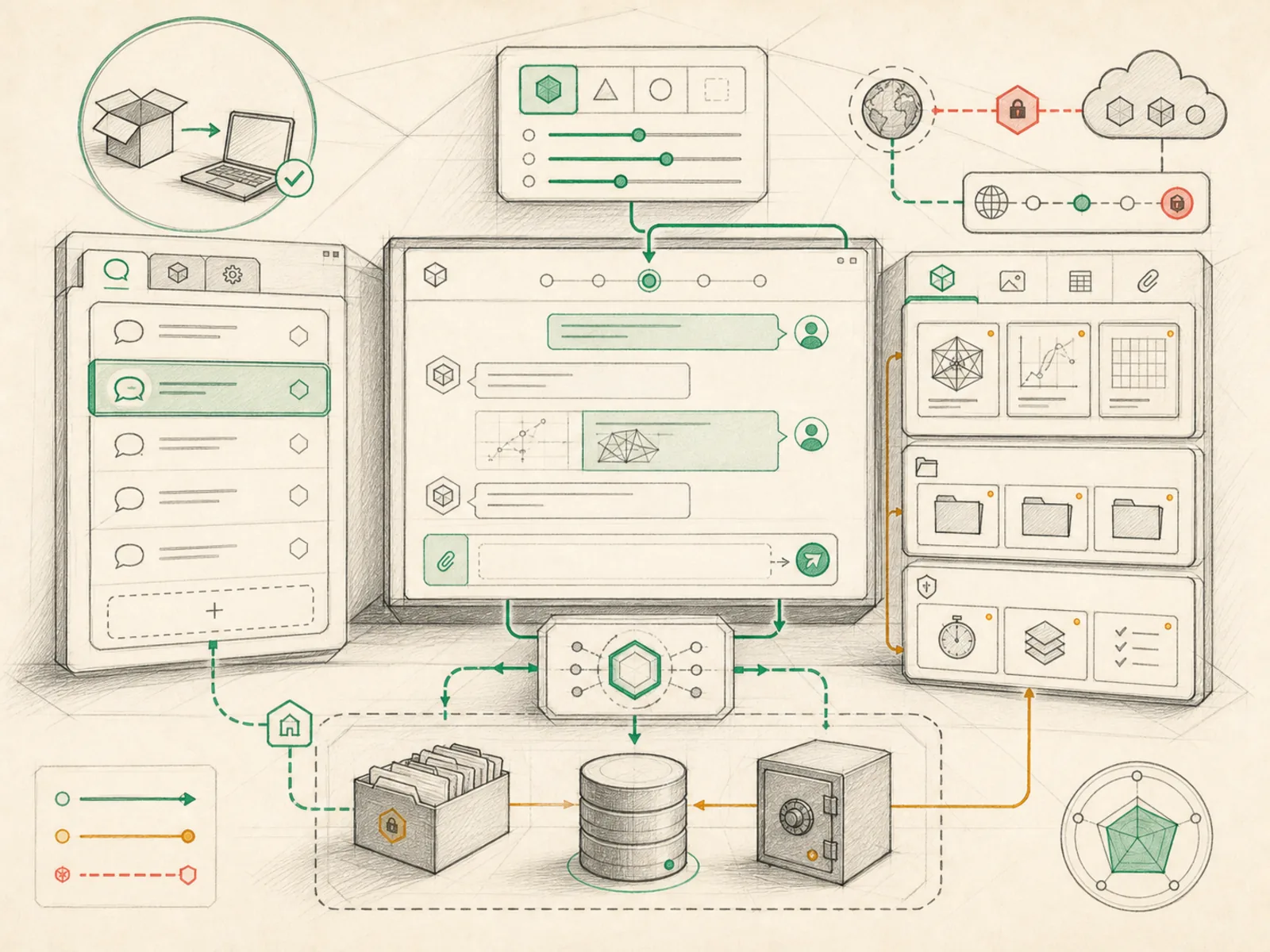
The visual local interface for sessions, models, settings, artifacts, and gateway connections.
In plain terms
Think of Hermes Desktop as a recording studio’s mixing console: it doesn’t generate the sound itself, but every fader and meter you touch reaches back into the actual instruments playing in the next room. Opening the app doesn’t start the agent from scratch — it launches a separate backend process and waits for a signal that it’s alive, then just displays and controls what that process is already doing.
Why it matters
Sessions, model configuration, settings, generated artifacts, and gateway connection status all surface in one place — Hermes Desktop — instead of requiring API calls or a config file edit to check any of them. For most people it’s the on-ramp into everything else: a gateway gets configured here before a phone can message the agent remotely, and a subagent’s live preview renders inside this same interface. It talks to the runtime exclusively through the dashboard API, so nothing it does is unavailable to a script hitting the same endpoints directly.
How it works
The desktop shell is an Electron app (apps/desktop) that spawns Hermes’s Python backend as a child process rather than embedding the agent logic itself. It waits for that process to print a port-announcement line once uvicorn has bound its socket (electron/backend-ready.ts) — a step that can take up to 90 seconds on a cold install, since the child has to import its whole module chain before uvicorn even binds a socket — before loading the React UI against that port. From there, everything the window shows or triggers, including starting, restarting, or draining the separate gateway process and approving a new device’s pairing request, goes out as ordinary calls to the same backend (hermes_cli/web_server.py) a script could call directly. First-run installs are driven by a separate bootstrap script runner (electron/bootstrap-runner.ts) that fetches and executes the install script pinned to a specific commit.
A concrete example
A user installs Hermes Desktop for the first time on a new laptop.
- The app’s bootstrap runner downloads and runs the install script pinned to a specific commit.
- Once that install finishes, the app spawns the Python backend and waits for its port-announcement line before showing any window, so it never displays a blank shell.
- The user clicks a toggle to start the gateway, which sends a request to the same backend rather than doing anything itself.
- Minutes later, a pairing request from their phone appears, and approving it happens through that identical backend connection.
How it connects
This note belongs to the Interfaces family. Its closest neighboring concepts are: Subagents, Dashboard API, Agent Runtime, Personal OS.
Source evidence
web_server— Explicit Source Map scope boundary: hermes_cli/web_server.py is outside the approved Core scope.
Workflows
- No first-pass workflow mapping yet; this concept still appears in the vault graph through articles and source evidence.
Related articles
- Mastering Hermes Desktop: From Local Chat App to an Always-On Agent Control Center
- Hermes for Small Business: Turning Inbox Messages into a Maintainable CRM Workflow
- Hermes Agent for Beginners: A Step-by-Step Route from Empty Server to Useful Automation
- Seven Cost-Aware Hermes Workflows That Go Beyond Chat
- The Ultimate Beginner’s Guide to Hermes: From First Installation to an AI Operations Team